> For the complete documentation index, see [llms.txt](https://docs.shortcutco.com/llms.txt). Markdown versions of documentation pages are available by appending `.md` to page URLs; this page is available as [Markdown](https://docs.shortcutco.com/readme/automations/review-requests.md).
# Review requests
Automatically ask happy customers for Google reviews — and catch unhappy feedback privately.
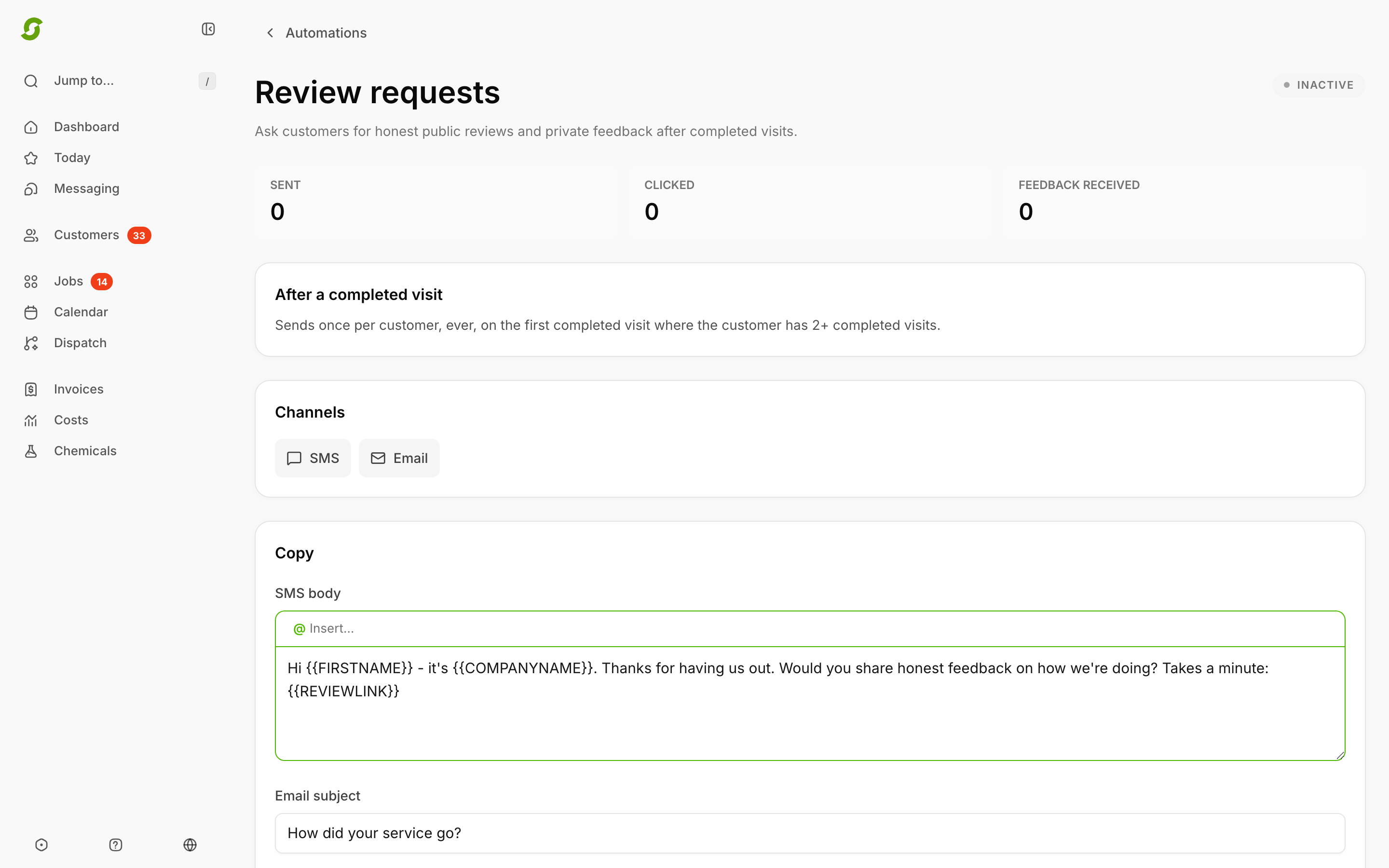
Review requests ask customers for a review after a completed visit — automatically, once per customer, ever. Happy customers are sent to your **Google review link**; unhappy customers get a **private feedback** form that emails your team instead of going public. To get there, open [Automations](https://shortcutco.com/settings/automations) and click the **Review requests** row pinned to the top of the list, or **Review requests** at the top right of the page.
Set the channels, the message, and where happy customers should land.
## How the ask works
* **Trigger:** a completed visit. Shortcut asks once per customer, on the first completed visit where they have **2+ completed visits**, so brand-new customers aren't asked on day one.
* **Channels:** SMS and/or email — toggle each, and edit the SMS body, email subject, and email body (merge tags supported).
* **Destinations:** your Google review link, plus optional custom destinations (Yelp, Facebook — any URL with a label).
* **Feedback recipients:** the email addresses that receive private feedback.
## What the customer sees
The message links to a simple page with two paths:
* **Leave a review** — buttons for your Google/custom review links.
* **Private feedback** — "Thanks — we read every one of these": a form that sends their comments to your feedback recipients. Nothing is posted publicly.
## Tracking
The Review requests page shows **Sent**, **Clicked**, and **Feedback received** counts, and you can turn the whole thing on or off any time.
The sent and clicked counts also show on the Review requests row in the Automations list (**N sent · N clicked**), with its health as **Healthy** when it's on and **Not active** when it's off. Review requests isn't a campaign, so it doesn't appear in campaign filters or on the **Needs attention** tab.
{% hint style="info" %}
Set your Google review destination before turning it on — the ask is only as good as the link it points to.
{% endhint %}
Still stuck?
Email with a screenshot of your Review requests settings.