> For the complete documentation index, see [llms.txt](https://docs.shortcutco.com/llms.txt). Markdown versions of documentation pages are available by appending `.md` to page URLs; this page is available as [Markdown](https://docs.shortcutco.com/readme/configuration/company-profile.md).
# Company & brand
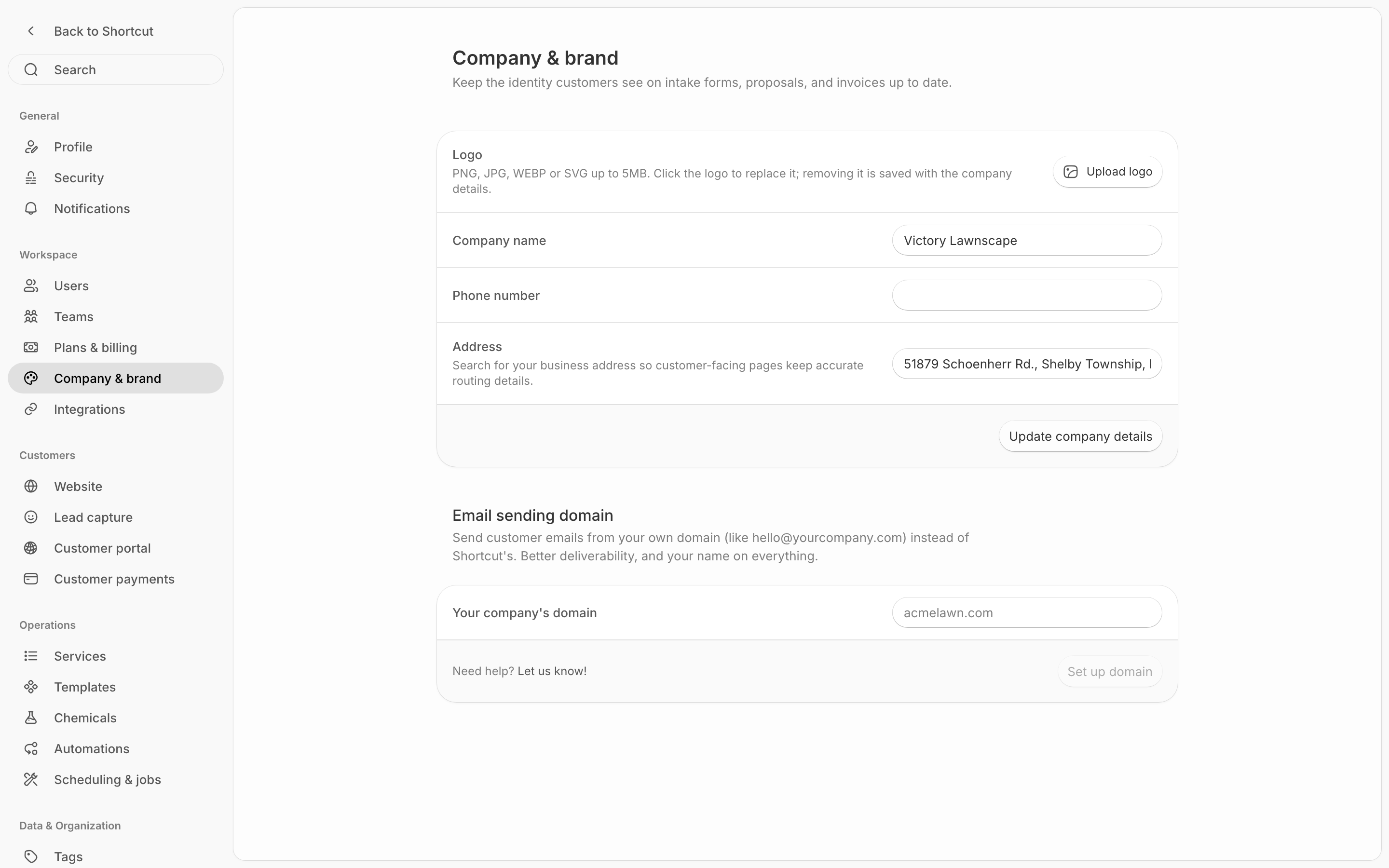
Company & brand is where you set your business identity: the logo, name, phone number and address your customers see on proposals, invoices, your intake form and your customer portal. [Open Company & brand →](https://shortcutco.com/settings/company-brand)
Company & brand: the logo, name, phone number and address your customers see.
## When to use this
* You want professional branding on customer-facing documents
* Your address, logo, or phone number changed
## Steps
{% stepper %}
{% step %}
### Open Company & brand
Open **Settings → Workspace → Company & brand**.
{% endstep %}
{% step %}
### Update your details
* **Logo**: click **Upload logo**. PNG, JPG, WEBP or SVG, up to 5 MB. To swap it, click the logo; to take it off, click **Remove**.
* **Company name**
* **Phone number**
* **Address**: start typing and pick your address from the suggestions.
{% endstep %}
{% step %}
### Save
Click **Update company details**. A new logo uploads as soon as you pick it, but a removed logo only goes once you save.
{% endstep %}
{% endstepper %}
## Your timezone
There's no timezone setting on this page. Shortcut takes your timezone from your business address the first time you save it, and uses it for scheduling, automations, and how dates appear throughout the app. If yours is wrong, email ****.
Had your timezone corrected? Check your campaigns too
Each automation campaign keeps its own copy of the timezone from when it was created. If yours was ever corrected, check the **Timezone** in each campaign's **Run settings** too.
## Route addresses live elsewhere
Route start and end addresses (used when Dispatch optimizes routes) are in [Scheduling & jobs](/readme/configuration/settings-capacity-+-route-start-and-end.md), next to daily capacity.
## Expected result
Your company info appears correctly on customer-facing documents.
{% hint style="info" %}
Still stuck? Email **** with a screenshot of Company & brand.
{% endhint %}