> For the complete documentation index, see [llms.txt](https://docs.shortcutco.com/llms.txt). Markdown versions of documentation pages are available by appending `.md` to page URLs; this page is available as [Markdown](https://docs.shortcutco.com/readme/configuration/intake-form-tracking-+-embed-+-redirect-+-services.md).

# Lead Capture (website form)

Lead Capture puts a Shortcut lead form on your website so website inquiries become **Leads** automatically.

If you don't have a website (or don't want to touch code), you can skip this.

## Where to find it

Open the **settings cog → Company Setup → Lead Capture**.

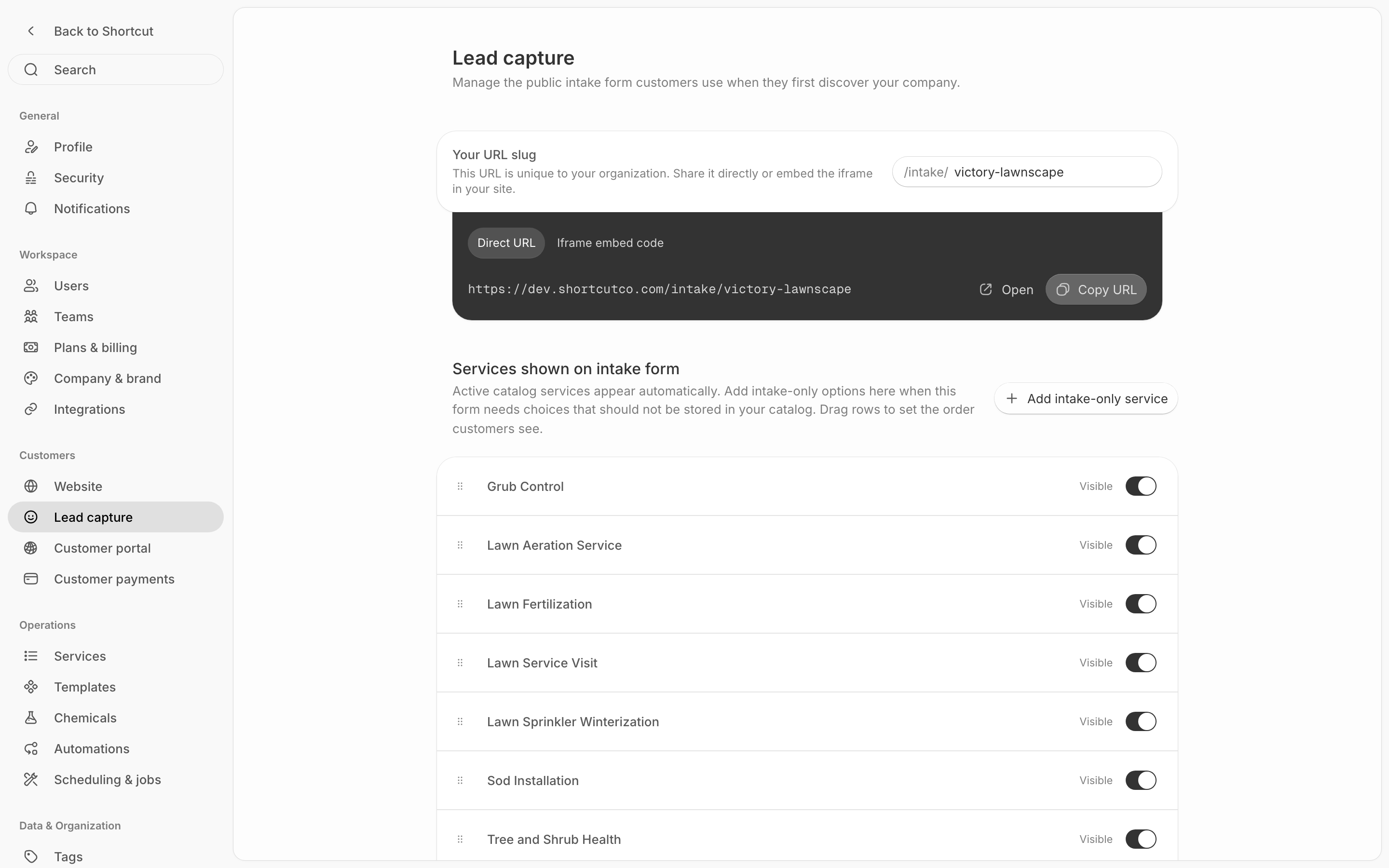
<figure><img src="/files/gmydV8DSdx5x3IdKkr4d" alt="Lead Capture settings overview"><figcaption><p>Lead Capture settings provide the public link and embed controls.</p></figcaption></figure>

***

## Embedded intake form (iframe code)

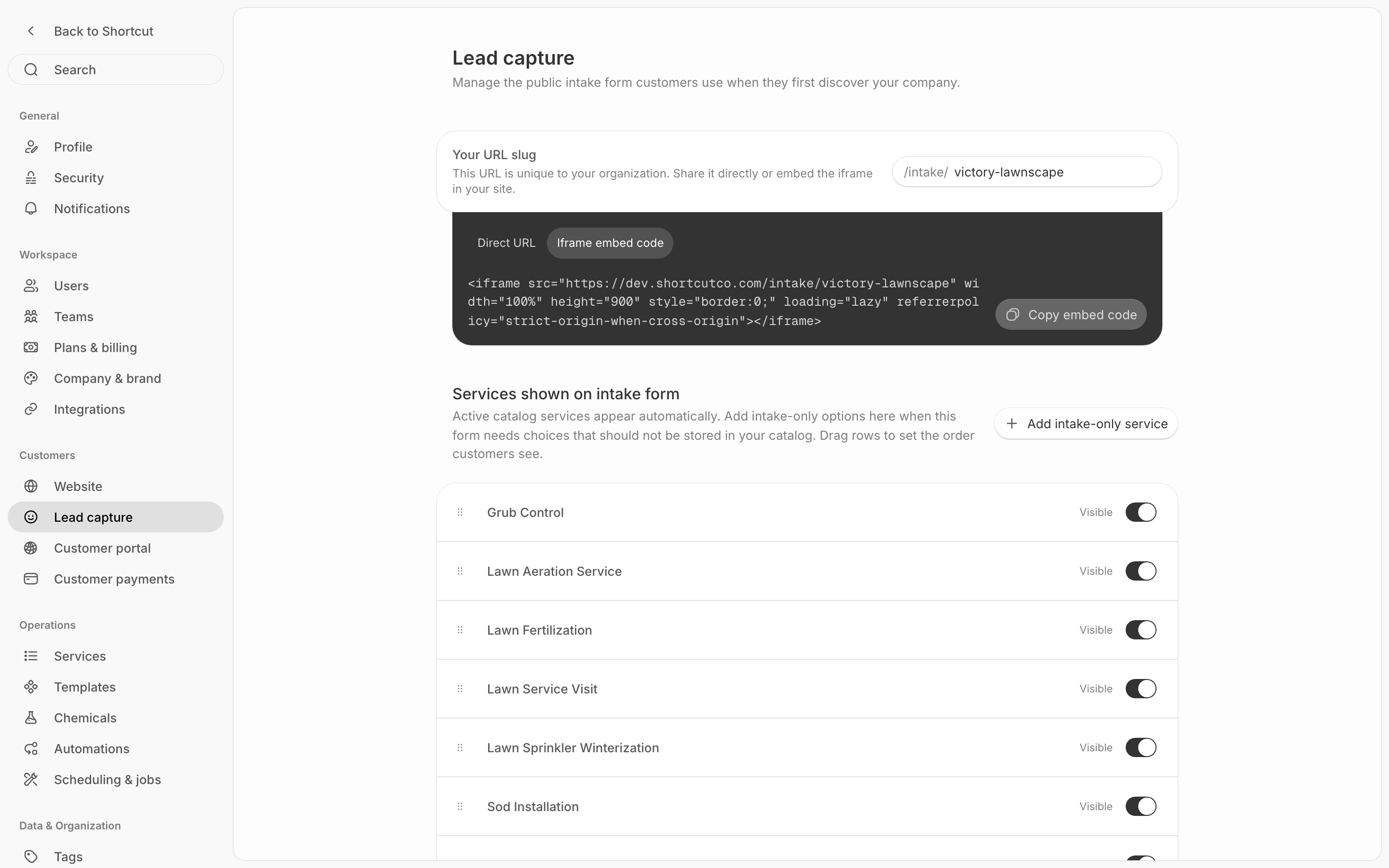
Shortcut provides code you (or your website person) can paste into your site.

Copy/paste this into your website where you want the form to appear:

{% code title="iframe.html" %}

```html
<iframe src="https://shortcutco.com/intake/your-slug" width="100%" height="100%" style="border:none;">
</iframe>
```

{% endcode %}

<figure><img src="/files/TMiQSm7rTfYIU2lPyRKh" alt="Intake form embed code area"><figcaption><p>Copy the iframe code when adding Shortcut to a website.</p></figcaption></figure>

### If you're not tech-forward (normal)

Two easy options:

* Send the code to whoever manages your website and ask them to add it to your Contact page.
* If you use Wix/Squarespace/WordPress, look for an **Embed** or **Code** block and paste the code there.

***

## Redirect lead form completion (optional)

You can choose whether to show a success page or send people to another page after they submit the form.

If enabled:

* Users are redirected to your URL after submitting.
* Optionally, the redirect can **open in a new tab**.
* If you track ad conversions, point the redirect at your own thank-you page that carries your pixel — Shortcut doesn't add tracking pixels itself.

***

## Lead intake page (shareable link)

Shortcut shows a direct URL you can share: `/intake/your-slug`

Use this if you prefer sharing a link instead of embedding the form.

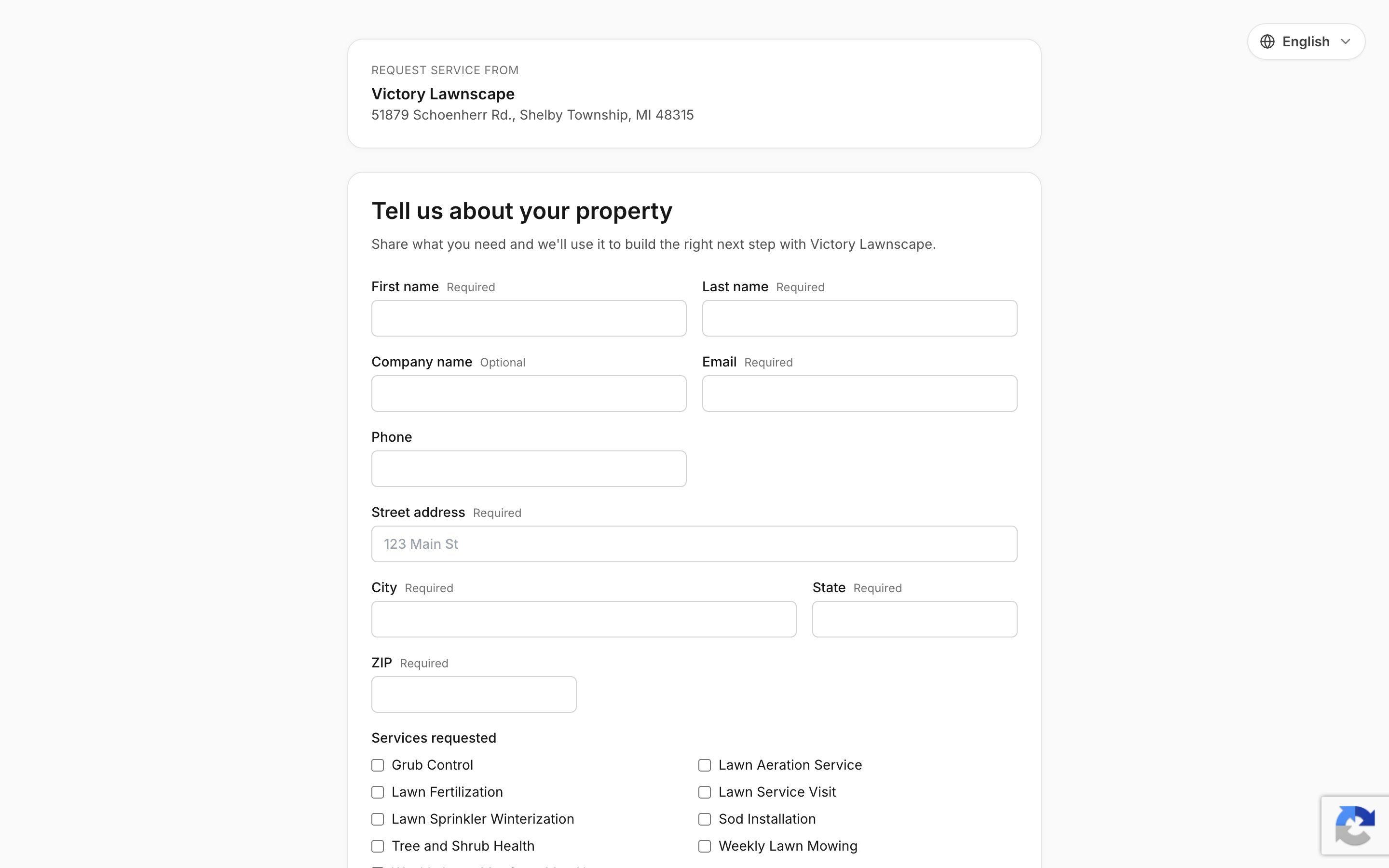
<figure><img src="/files/7cOsA6WOQStlv53Vljyw" alt="Public intake form shown to website visitors"><figcaption><p>This is what a visitor sees when they submit a new inquiry.</p></figcaption></figure>

***

## Form fields

The intake form captures the following from leads:

* **Name** (first + last)
* **Company name** (optional)
* **Email**
* **Phone** (with SMS consent checkbox)
* **Property address** (with Google Places autocomplete)
* **Special requests / notes**
* **Services** they're interested in (if you turned on the services section)

{% hint style="info" %}
The form includes **reCAPTCHA v3** spam protection automatically — no setup needed.
{% endhint %}

***

## Services (optional)

This lets you add service options to the form so leads can tell you what they want (example: lawn mowing).

{% stepper %}
{% step %}

### Add a service

In **Services (Optional)**, click **Add service**.
{% endstep %}

{% step %}

### Name the service

Enter a service name.
{% endstep %}

{% step %}

### Save

Save changes.
{% endstep %}
{% endstepper %}

***

<details>

<summary>Still stuck?</summary>

Email **<hello@shortcutco.com>** with your website platform + a screenshot of Intake Form.

</details>