> For the complete documentation index, see [llms.txt](https://docs.shortcutco.com/llms.txt). Markdown versions of documentation pages are available by appending `.md` to page URLs; this page is available as [Markdown](https://docs.shortcutco.com/readme/configuration/services-pricing-structures.md).

# Catalog: Services (pricing structures)

Services are what you sell. You need services to create proposals. [Open Services →](https://shortcutco.com/catalog/services)

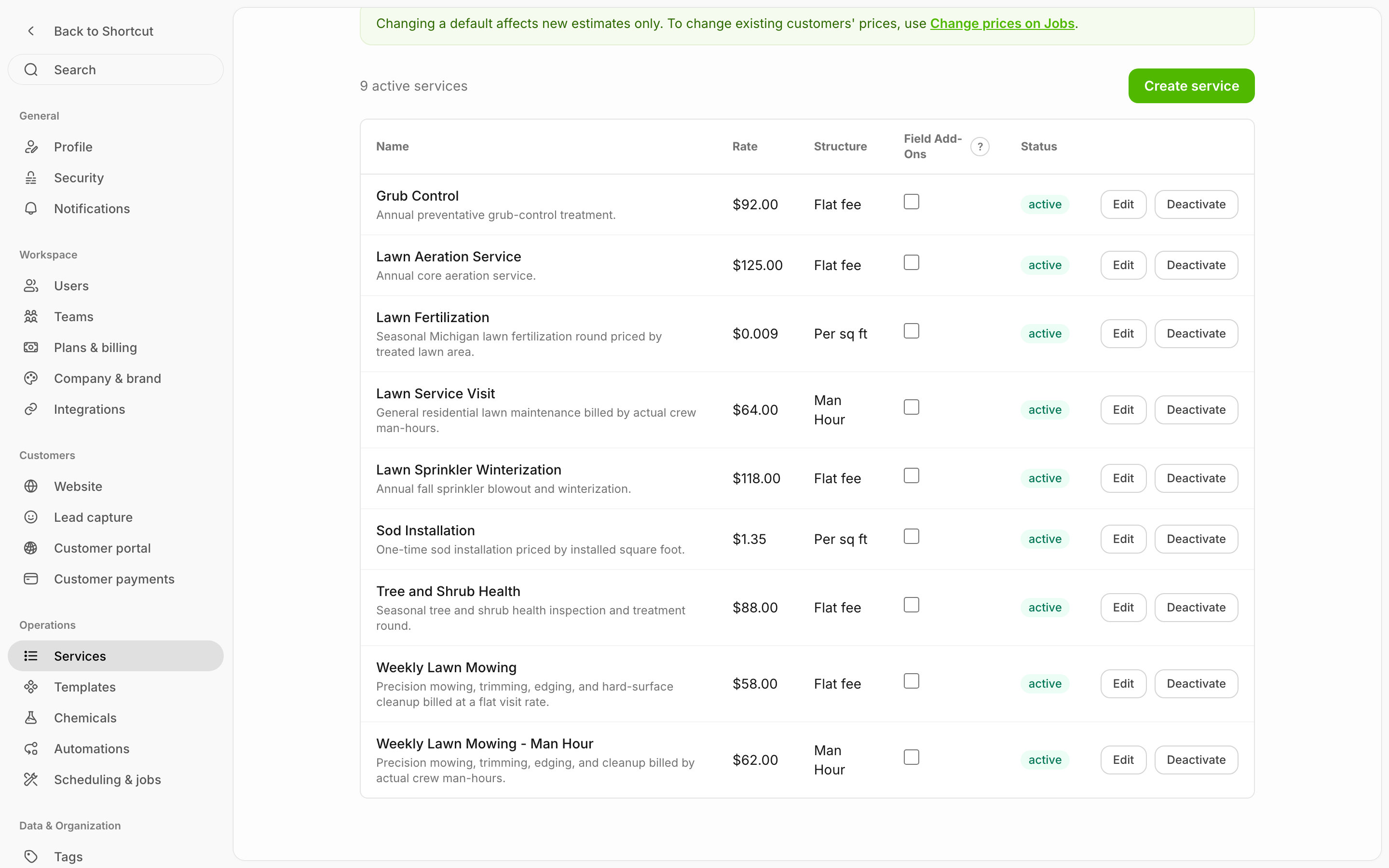
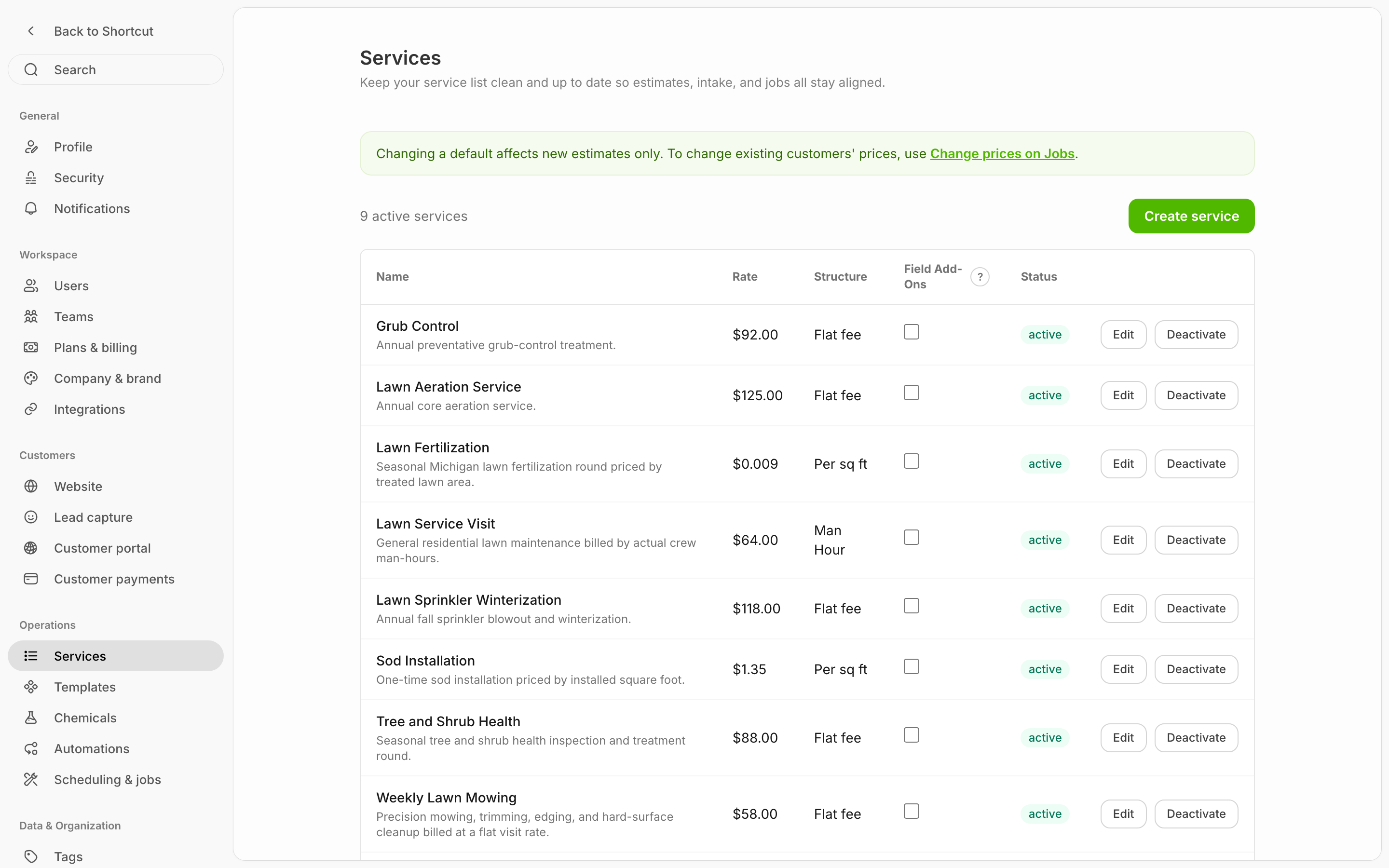
<figure><img src="/files/ySrc3x2BzArC32NDWysn" alt="Services configuration showing six services with their rates, pricing structures (Per sq ft, Flat fee, Per hour), and active status"><figcaption><p>Catalog → Services — manage your service catalog. Each service shows its name, description, default rate, pricing structure, and active/deactivated status. Click "Create service" to add a new one.</p></figcaption></figure>

## Pricing structures

Shortcut supports four pricing structures:

* **Flat fee** — one set price for the work.
* **Per hour** — a rate times the hours you quote.
* **Per sq ft** — a rate times the property's square footage. You can also set **size tiers** so bigger properties automatically get a different rate (see below).
* **Per man-hour** — the price follows the crew time the visit actually takes. You set an hourly rate; Shortcut bills rate × hours worked × crew members on site (see below).

## Create a service

{% stepper %}
{% step %}

### Create a service

* Open the **settings cog (bottom left) → More → Catalog → Services**. [Open Services →](https://shortcutco.com/catalog/services)
  {% endstep %}

{% step %}

### Add the service

* Click **Create service**.
  {% endstep %}

{% step %}

### Enter details

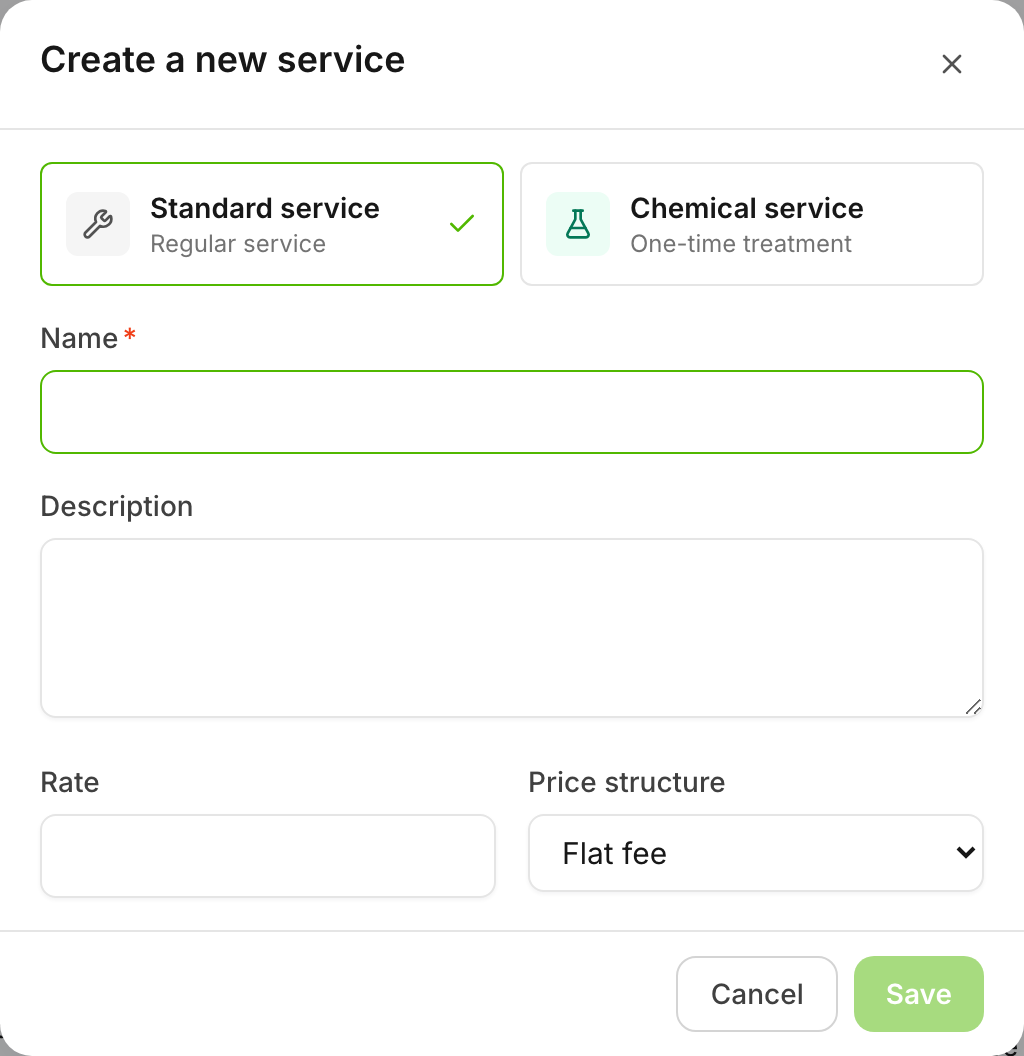
* Enter a name (and optional description).
* Choose a pricing structure.
* (Optional) Set a default rate.

<figure><img src="/files/kNPCd0RnMO8ixm97b0Iz" alt="Create a new service dialog with fields for name, description, rate, and price structure dropdown"><figcaption><p>The "Create a new service" window — enter a name, optional description, default rate, and choose a price structure (Per hour, Per sq ft, or Flat fee).</p></figcaption></figure>
{% endstep %}

{% step %}

### Save

* Save.
  {% endstep %}
  {% endstepper %}

{% hint style="info" %}
Important note about rate

Rate is optional when creating a service, but when you build a proposal you must fill in the numbers (rate + hours / sq ft / flat amount) so the total is correct.
{% endhint %}

## Price tiers for square-footage services

For **Per sq ft** services (including chemical programs), you can add **size tiers** — different rates for different property sizes. Example: up to 5,000 sq ft at one rate, 5,001–10,000 sq ft at a lower rate, and so on.

When you build a proposal or job, Shortcut looks at the property's total square footage and picks the right tier automatically. You can always adjust the rate on the proposal itself.

Set tiers when creating or editing a Per sq ft service — click **+ Add tier** and enter the size ranges and rates.

<figure><img src="/files/5SefXUSj1DC9TIqHuMEy" alt="Edit service dialog for a Per sq ft service showing the Tiered pricing editor with a 0–10,000 sq ft tier, a 10,001-and-up tier, and the Add tier link"><figcaption><p>Tiered pricing on a Per sq ft service. The job's full square footage is priced at the rate of the range it falls in.</p></figcaption></figure>

## Per man-hour services (bill by crew time)

Use **Per man-hour** (shown as **Man Hour** in the price structure picker) when the final price should follow the actual work — big cleanups, storm damage, jobs where you can't know the hours up front.

<figure><img src="/files/ErkvnIKUs8U8xehZeP01" alt="Edit service dialog with the Man Hour price structure selected and an hourly rate of $64"><figcaption><p>A Man Hour service — set the hourly rate; the final price follows the crew time the visit actually takes.</p></figcaption></figure>

How it works, start to finish:

1. **On the proposal**, you give the customer the hourly rate and an estimated number of man-hours, so they know roughly what to expect.
2. **In the field**, the crew starts and finishes the visit in the worker app like any other job. Shortcut records the time on site and how many crew members were there.
3. **Before billing**, the office can review and adjust the captured hours or crew count if something looks off.
4. **The invoice** is calculated as rate × hours × crew members. Autopay and QuickBooks work the same as any other invoice.

{% hint style="info" %}
A man-hour job that runs past the end of the day can be **continued the next day** — the crew taps **Continue tomorrow** instead of finishing, and the visit picks back up where it left off. The customer is billed once, for the whole job, when it's finished.
{% endhint %}

## Service type: standard vs chemical

When you create a service, you can choose **Standard service** (most work) or **Chemical service** — a one-time treatment with a chemical recipe attached (products, amounts, target pests). Chemical services flow into your compliance records automatically. See [Chemicals](/readme/chemical-tracking.md). You can't change a service's type later.

## Field Add-Ons (let workers add services on-site)

The services list has a **Field Add-Ons** column. Turn it on for any service you're comfortable letting workers add while on a job — workers can then add that service to a same-day visit from the worker app (and set the rate), and it's billed with the visit. Example: junk removal. See [Adding one-off services to a visit](/readme/jobs-and-scheduling/adding-one-off-services-to-a-visit.md).

## Active vs deactivated

Services can be **active** or **deactivated**:

* **Active** services appear when building proposals and templates.
* **Deactivated** services are hidden from new proposals but preserved on existing ones.

Before deactivating, Shortcut shows you how many proposals and jobs use the service so you can make an informed decision.

## Examples

* Lawn mowing
* Landscape maintenance
* Fertilization
* Spring cleanup

{% hint style="info" %}
Changing what existing customers pay? Editing a service's default rate doesn't change existing jobs — use [Bulk price changes](/readme/jobs-and-scheduling/bulk-price-changes.md).
{% endhint %}

<details>

<summary>Still stuck?</summary>

Email **<hello@shortcutco.com>** with the service name + a screenshot of [Services](https://shortcutco.com/catalog/services).

</details>