> For the complete documentation index, see [llms.txt](https://docs.shortcutco.com/llms.txt). Markdown versions of documentation pages are available by appending `.md` to page URLs; this page is available as [Markdown](https://docs.shortcutco.com/readme/configuration/templates.md).

# Catalog: Templates

Templates let you reuse the same package of services and cadence. [Open Templates →](https://shortcutco.com/catalog/templates)

<figure><img src="/files/hbNIU5rsAeaX9rnb8wxk" alt="Templates list showing a saved template with its name, services, and active status"><figcaption><p>Catalog → Templates — your saved service packages. Click "Create template" to build a new one.</p></figcaption></figure>

## What templates do

* Bundle services together
* Set cadence per service:
  * One-off, or
  * Recurring every X weeks/months
* Store **service options/alternatives** (e.g., Gold vs Silver tiers)
* Support **drag-to-reorder** so you control the display order

## Create a template

{% stepper %}
{% step %}

### Go to configuration

Open the **settings cog (bottom left) → More → Catalog → Templates**. [Open Templates →](https://shortcutco.com/catalog/templates)
{% endstep %}

{% step %}

### Create a new template

Click **Create template**.

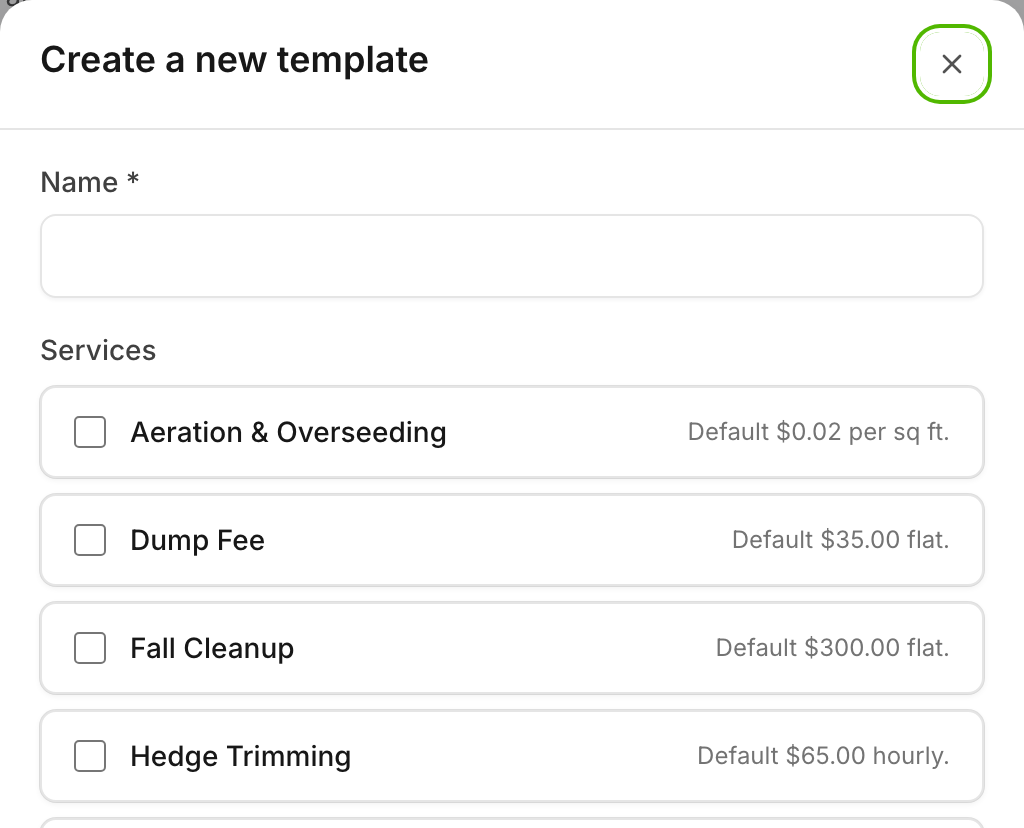
<figure><img src="/files/u60iPjjR9Ym5dgwRiXB1" alt="Create a new template window showing template name, service selection with pricing and cadence options"><figcaption><p>The template creation window — name your template, select services, set rates and cadence (one-off or recurring), and mark services as optional.</p></figcaption></figure>
{% endstep %}

{% step %}

### Add services

Add services. Drag to reorder as needed.
{% endstep %}

{% step %}

### Set cadence

Set cadence for each service.
{% endstep %}

{% step %}

### Save

Save. The sort order is persisted.
{% endstep %}
{% endstepper %}

## Use templates in a proposal

In the proposal flow, click **Choose from template**.

## Still stuck?

<details>

<summary>Contact support</summary>

Email **<hello@shortcutco.com>** with the template name you're trying to build.

</details>