> For the complete documentation index, see [llms.txt](https://docs.shortcutco.com/llms.txt). Markdown versions of documentation pages are available by appending `.md` to page URLs; this page is available as [Markdown](https://docs.shortcutco.com/readme/finances-invoices-and-payments/finances-overview-invoice-list-+-filters.md).

# Finances overview (invoice list + filters)

The **Finances** tab is where you manage every invoice in Shortcut—paid and unpaid. [Open Invoices →](https://shortcutco.com/invoices)

{% hint style="info" %}
When to use this

* You want to see what customers still owe you
* A customer says they paid and you want to confirm
* You need to mark a check/cash payment as paid
* You want to resend an invoice link
  {% endhint %}

## What you'll see

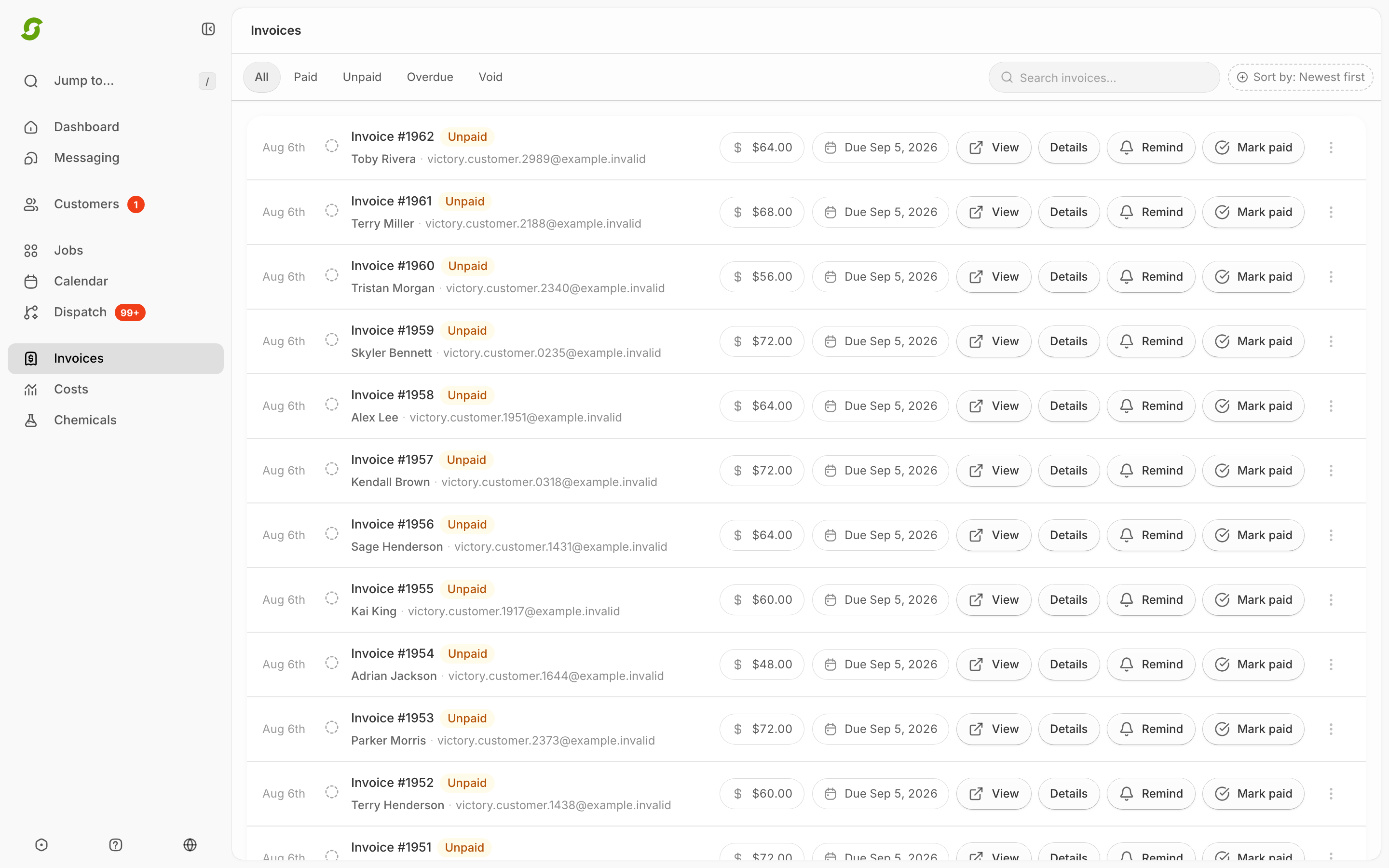
* A list of invoices with a status next to each one
* Actions in the list (commonly **Mark as paid** and **Remind**)
* Filters at the top
* Each invoice has a **public link** (`/i/[token]`) that customers can use to view and pay

<figure><img src="/files/XR1evjmdn3iWTi3FQAN2" alt="Invoices list with unpaid, paid, and prepay statuses"><figcaption><p>Use the invoice list to identify payment status and row actions.</p></figcaption></figure>

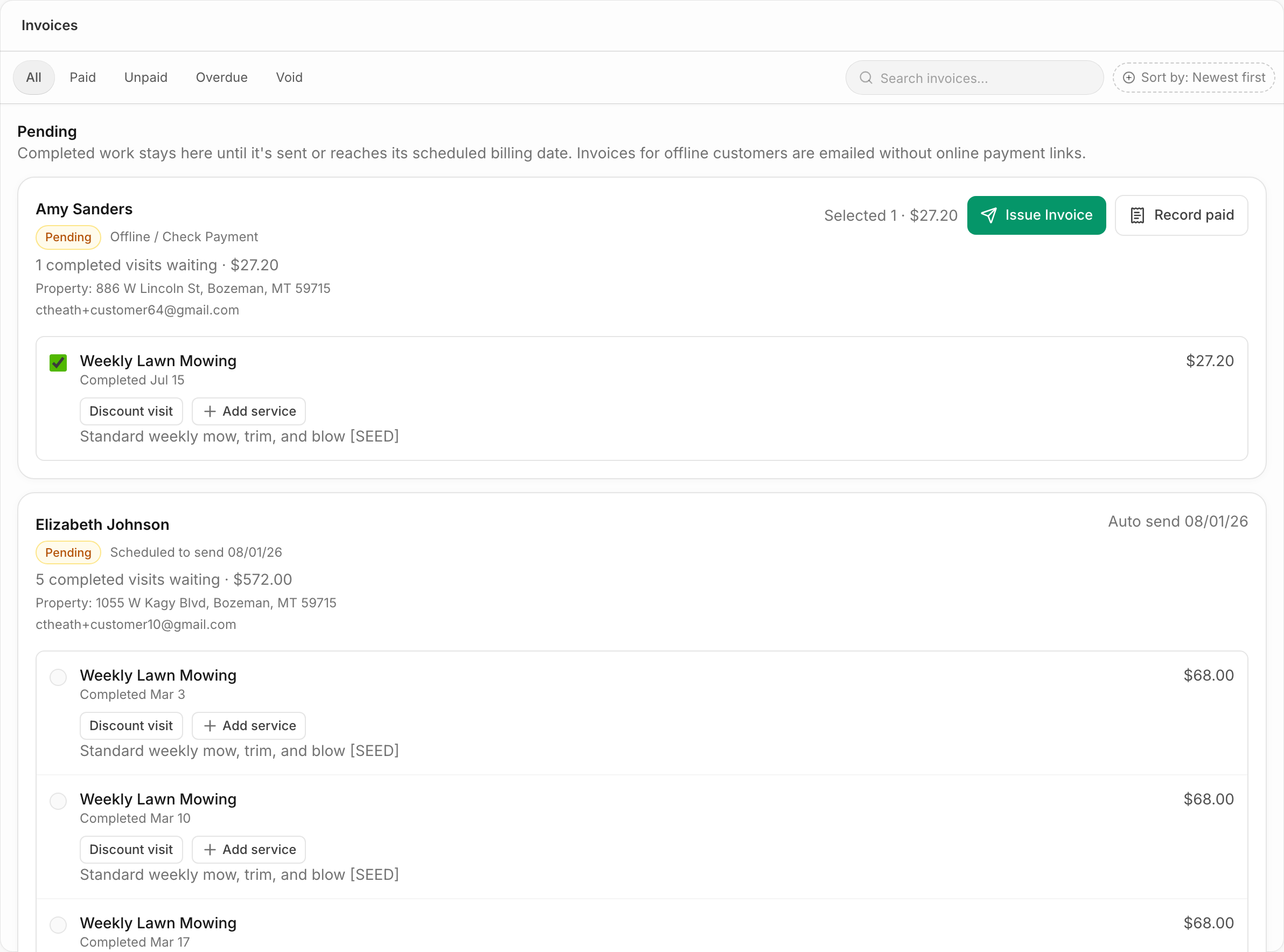
<figure><img src="/files/T7fehaHpM22xRExITUHX" alt="Pending invoice groups above the invoice list"><figcaption><p>Pending groups show work waiting for manual or scheduled billing.</p></figcaption></figure>

## The Pending section

At the top of the list, a **Pending** section groups completed-but-uninvoiced work for customers on scheduled or offline billing — each group shows how many completed visits are waiting and the total. Offline groups have **Issue Invoice** and **Record paid** buttons; scheduled groups show their next auto-send date. See [Billing modes](/readme/finances-invoices-and-payments/billing-modes.md).

## Filters

Tabs at the top of Invoices let you filter by:

* **All**
* **Paid**
* **Unpaid**
* **Overdue**
* **Void**

<figure><img src="/files/GRhEVYWWETjfLIG78WYP" alt="Invoices screen with filters and pending groups"><figcaption><p>Filter invoices before using row-level payment actions.</p></figcaption></figure>

## Key actions (from the list)

{% stepper %}
{% step %}

### Mark paid

Use this when you were paid outside of Stripe (check/cash/ACH).
{% endstep %}

{% step %}

### Remind (resend invoice)

This resends the invoice to the customer via **email and/or SMS** — available any time while the invoice is unpaid.
{% endstep %}
{% endstepper %}

## Related pages

* [How invoices are created](/readme/finances-invoices-and-payments/how-invoices-are-created-job-driven.md)
* [Billing modes](/readme/finances-invoices-and-payments/billing-modes.md)
* [Remind / resend an invoice](/readme/finances-invoices-and-payments/remind-resend-an-invoice-after-24-hours.md)
* [Mark an invoice as paid](/readme/finances-invoices-and-payments/mark-an-invoice-as-paid-manual.md)
* [Invoice statuses explained](/readme/finances-invoices-and-payments/invoice-statuses-explained-paid-unpaid-overdue.md)

<details>

<summary>Still stuck?</summary>

Email **<hello@shortcutco.com>** with the customer name + a screenshot of the [invoice list](https://shortcutco.com/invoices).

</details>