> For the complete documentation index, see [llms.txt](https://docs.shortcutco.com/llms.txt). Markdown versions of documentation pages are available by appending `.md` to page URLs; this page is available as [Markdown](https://docs.shortcutco.com/readme/finances-invoices-and-payments/how-invoices-are-created-job-driven.md).
# How invoices are created
In Shortcut, invoices come from **completed work** — you don't type up invoices line-by-line. What varies is *when* the invoice is created:
* **Auto - on completion** (default): the moment a visit is completed, the invoice is created and sent.
* **Auto - on a schedule**: completed visits are saved up, and one invoice goes out on the customer's schedule (weekly, every two weeks, or monthly — at 8:00 AM your time).
* **Offline / Check Payment**: completed visits wait in the **Pending** section of Invoices until you click **Issue Invoice**.
* **Pre-pay**: if the customer has paid a prepay invoice covering the date, completed work links to it and no new invoice is created.
See [Billing modes](/readme/finances-invoices-and-payments/billing-modes.md) and [Pre-pay invoicing](/readme/finances-invoices-and-payments/pre-pay-invoicing.md).
## What goes on the invoice
Each completed visit becomes a line with its service, the date it was done, and its price.
* **Products** added to a visit or an estimate appear as their own invoice lines, unless the product is set to be included in the service price. See [Products on the invoice](/readme/products.md#products-on-the-invoice).
* **Snow visits** say how deep the snow was when the crew was sent, for example *Plowing · Jan 15 · dispatched at 3 in.* If the service has a depth ladder, that depth sets the price. See [Snow removal](/readme/snow-removal.md#billing).
## The default flow (auto on completion)
{% stepper %}
{% step %}
### Create and send a proposal
Create and send the proposal to the customer.
{% endstep %}
{% step %}
### Proposal is accepted
The proposal is accepted (or you approve it on the customer's behalf).
{% endstep %}
{% step %}
### Job is scheduled and assigned
The job gets scheduled and assigned to a crew.
{% endstep %}
{% step %}
### Visit is marked complete
The worker taps **Finish**, or an admin completes it in Dispatch.
Invoices begin when a visit is marked complete.
{% endstep %}
{% step %}
### Shortcut generates the invoice
Shortcut creates the invoice and sends the payment request by email/SMS. If autopay is on, the card is charged automatically. If the crew shared any photos or notes from the visit, they appear on the invoice — customers see the work, not just the charge.
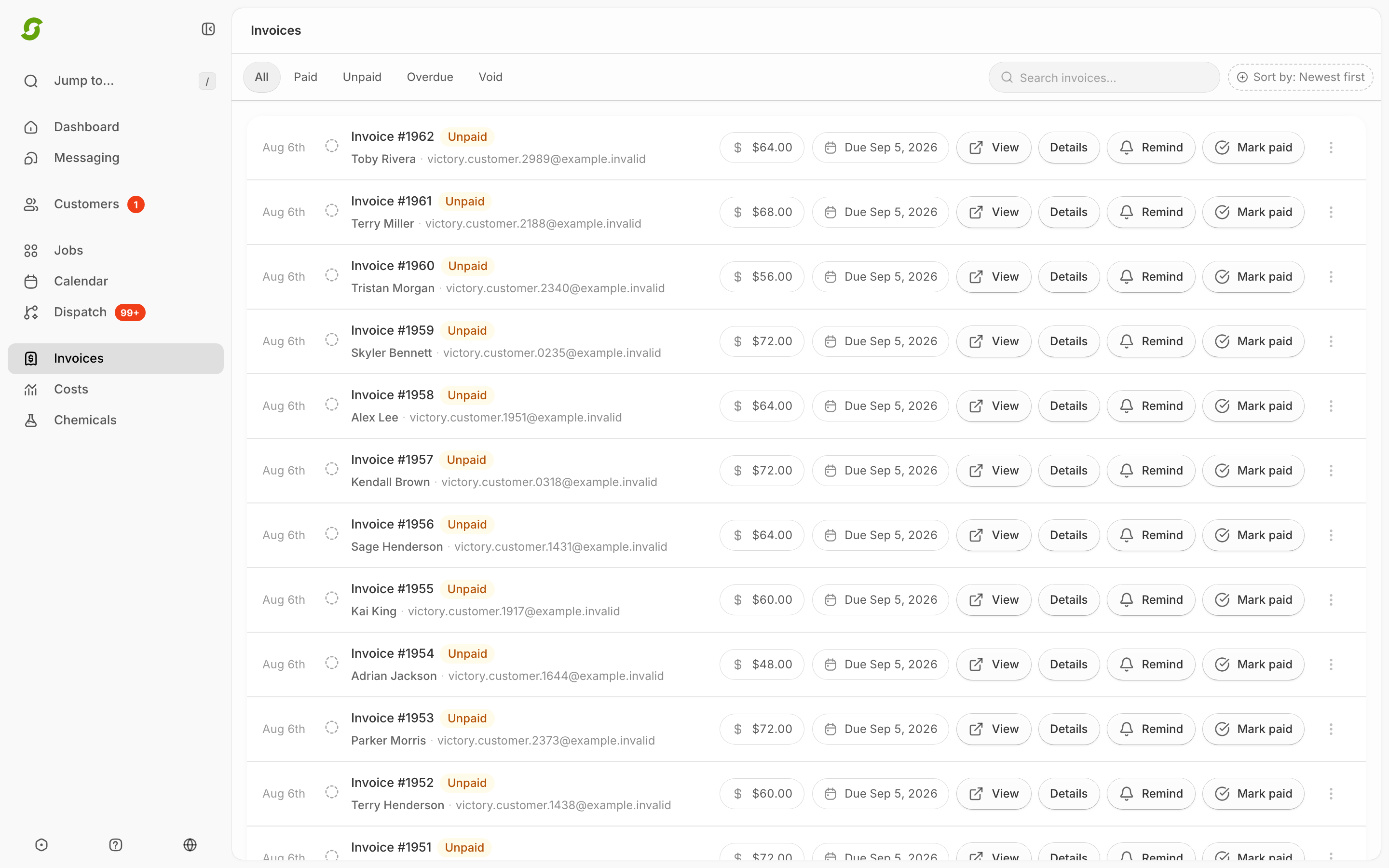
After completion, generated invoices appear in Invoices.
{% endstep %}
{% endstepper %}
## Expected result
After completion, a new invoice appears in **Invoices** (or the work appears in the **Pending** section for scheduled/offline customers).
## What the invoice email looks like
The email comes from your company name. Its subject leads with the invoice number, so customers can find it in their inbox:
* One service: *Invoice #1301 from Mow Money: Lawn Maintenance on Sep 23 — $45.00*
* The same service several times: *Invoice #1302 from Mow Money: 4× Lawn Maintenance — $180.00*
* Several different services: *Invoice #1303 from Mow Money: 3 services — $210.00*
A reminder sent with **Remind** puts **Reminder:** in front of the same subject.
Inside, the email lists up to five lines with their dates and amounts, then the total due, the due date, and a **Pay $45.00** button (**View invoice** if the customer can't pay online). It ends with *Questions about this message? Reply to this email to reach Mow Money.* Replies go to the email address of the first admin on your Shortcut account.
## Common issues
No invoice yet
The visit likely hasn't been marked complete — or the customer is on scheduled/offline billing and the work is sitting in the Pending section.
Customer says they didn't get it
When you issue or remind an invoice, Shortcut confirms with a message like **Queued via email and sms.** "Queued" means the message has been handed off for sending, not that it's been read. Ask the customer to search their inbox, including spam or promotions, for the invoice number, for example "Invoice #1301". Double-check the customer's email and phone on their profile, and open **⋯ → Email preferences** in case they've turned off billing emails. Then use **Remind** from the invoice row to send it again, or open the invoice and use **Send requested email copy**. See [Remind / resend an invoice](/readme/finances-invoices-and-payments/remind-resend-an-invoice-after-24-hours.md) and [Customer email preferences and invoice delivery](/readme/finances-invoices-and-payments/customer-email-preferences.md).
{% hint style="warning" %}
### Still stuck?
Email **** with the customer name + job date + a screenshot of the job status.
{% endhint %}