> For the complete documentation index, see [llms.txt](https://docs.shortcutco.com/llms.txt). Markdown versions of documentation pages are available by appending `.md` to page URLs; this page is available as [Markdown](https://docs.shortcutco.com/readme/jobs-and-scheduling/pause-resume-or-cancel-a-job.md).

# Pause, resume, or cancel a job

Pause and Cancel both stop future work, but they’re different.

## Pause vs Cancel

{% columns %}
{% column %}

#### Pause (temporary)

* Use when the customer wants to stop **for now**
* Can be resumed
* Keeps recurrence setup
* Future visits are not generated or shown while paused
  {% endcolumn %}

{% column %}

#### Cancel (permanent)

* Use when the customer is done forever
* Future visits are canceled and removed from the schedule
* Job becomes read-only
* Cannot be resumed
  {% endcolumn %}
  {% endcolumns %}

## Common reasons to pause

* Vacation
* Seasonal break (winter)
* Budget issues
* Illness or travel
* Access problem (locked gate, dog out)
* Waiting for construction
* “Hold off for a while”

## Common reasons to cancel

* Permanently ends service
* Moved away / out of service area
* You fired the customer
* Contract terminated

{% hint style="info" %}
Ending the whole relationship, not just one job? **Deactivate the customer** instead — it handles all their jobs at once and stops automations. See [Customers overview](/readme/leads-prospects-customers/customers-overview-+-importing.md#deactivate-a-customer).
{% endhint %}

## Where you can pause/cancel

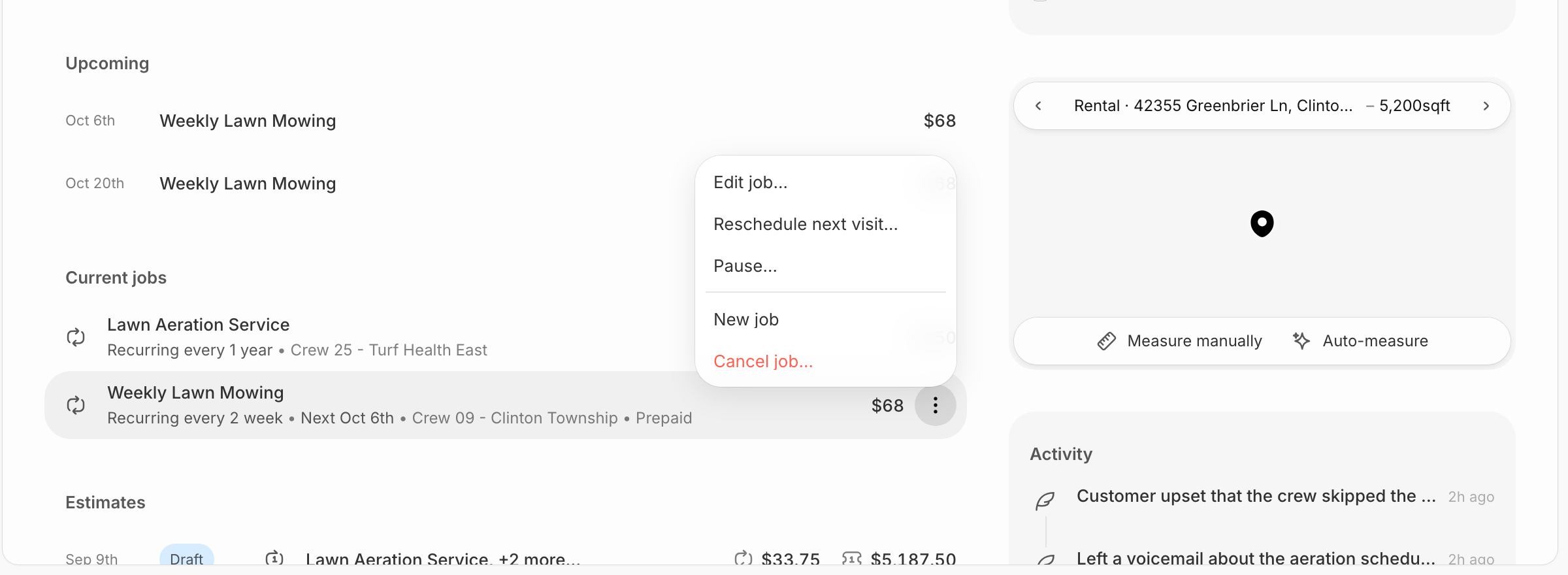
* Customer profile → Jobs tab → three dots
* Jobs list → three dots

## What you’ll see

* **Pause Job** (only if active)
* **Resume Job** (only if paused)
* **Cancel Job** (always available)

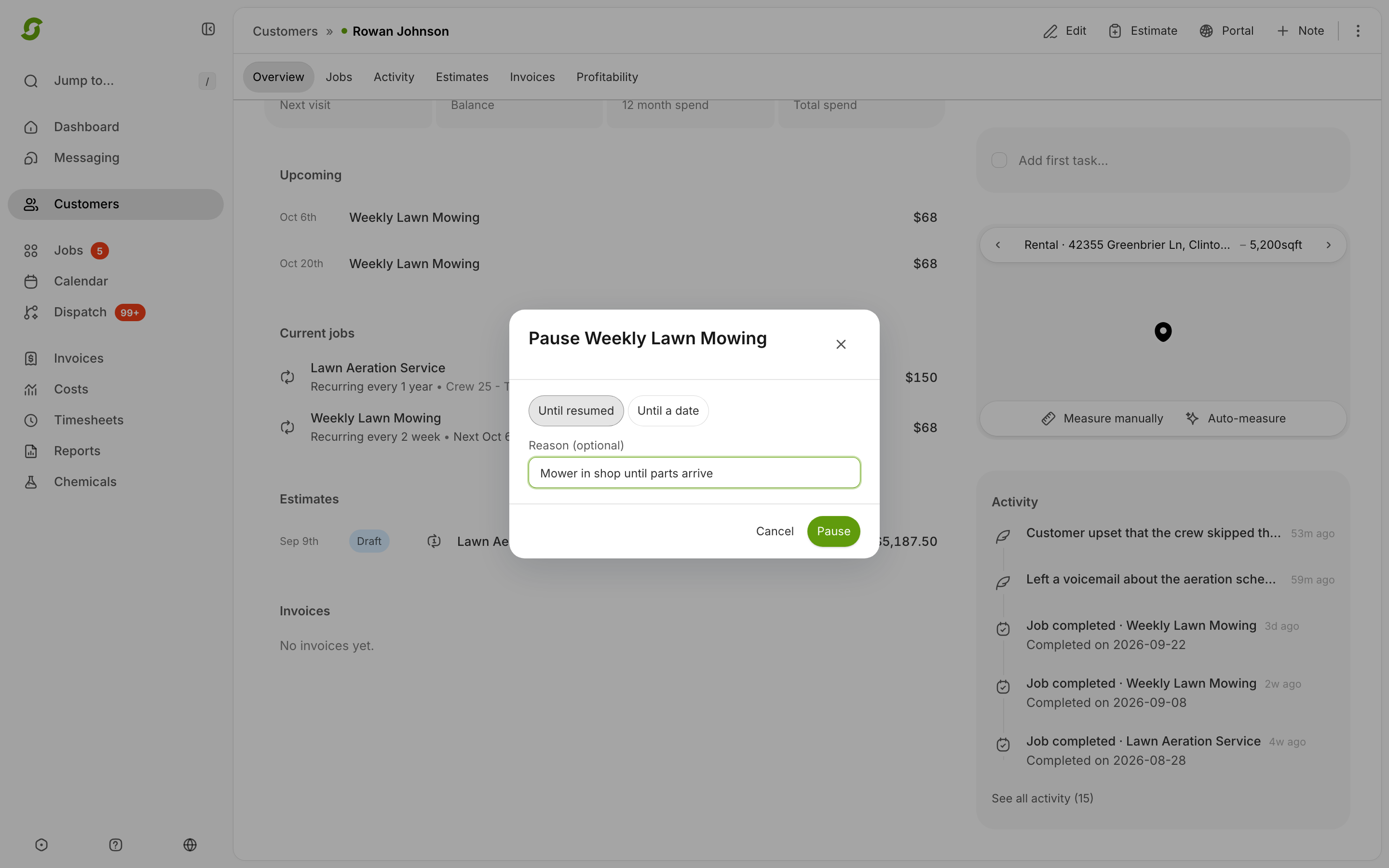
## Say why you're pausing

The pause window has a **Reason (optional)** box. Use it. Three months later, "Mower in shop" is the difference between resuming with confidence and phoning the customer to ask what happened.

It's genuinely optional — leave it blank and everything works exactly as before.

Once you've written one, the reason follows the job to the places you'd look for it:

* **On the Jobs page** — the paused row carries the reason next to its status.
* **On the customer's profile** — the job line reads *Until Sep 12, 2026 — Mower in shop*.
* **In the customer's activity feed** — *"Ops Admin paused this job until Sep 12, 2026. Reason: Mower in shop."*

Resume the job and the reason clears itself, so an old excuse can never hang around on a job that's running again.

## What happens when you pause

* Status becomes **Paused**
* Future visits are not created
* Calendar hides paused jobs
* Past visits remain visible

{% hint style="info" %}
**A visit that's already booked stays booked.** Pausing stops Shortcut creating *new* visits — it doesn't cancel one that's already on the calendar. So a paused job can show a green **Scheduled** pill next to its pause marker. That pill is describing the visit, not the job. If you want the booked visit gone too, cancel it from the calendar.
{% endhint %}

## Resuming a paused job

* Resume manually or set a resume date
* Resume restarts recurrence from that point (no catch-up)

<details>

<summary>Still stuck?</summary>

Email <hello@shortcutco.com> with the job name and a screenshot of the three-dot menu.

</details>