> For the complete documentation index, see [llms.txt](https://docs.shortcutco.com/llms.txt). Markdown versions of documentation pages are available by appending `.md` to page URLs; this page is available as [Markdown](https://docs.shortcutco.com/readme/jobs-and-scheduling/reschedule-a-job-single-visit-vs-update-future-events.md).

# Reschedule a job (just this event vs future events)

Rescheduling moves a scheduled visit to a new date.

## When to use this

* Customer requests a new day
* Weather or access issues require moving a visit

{% stepper %}
{% step %}

### Find the job

Locate the job from the Jobs list, the customer profile, Calendar, or Dispatch.
{% endstep %}

{% step %}

### Open actions

Click the **three dots** on the job.

<figure><img src="/files/fvpvXdZEyhkf1r8sqZam" alt="Job card menu with the Reschedule action"><figcaption><p>Use Reschedule from a job card when a visit needs to move.</p></figcaption></figure>
{% endstep %}

{% step %}

### Choose reschedule

Click **Reschedule**.
{% endstep %}

{% step %}

### Pick a new date

Choose the new date in the calendar pop-up.
{% endstep %}
{% endstepper %}

## Single visit vs whole series

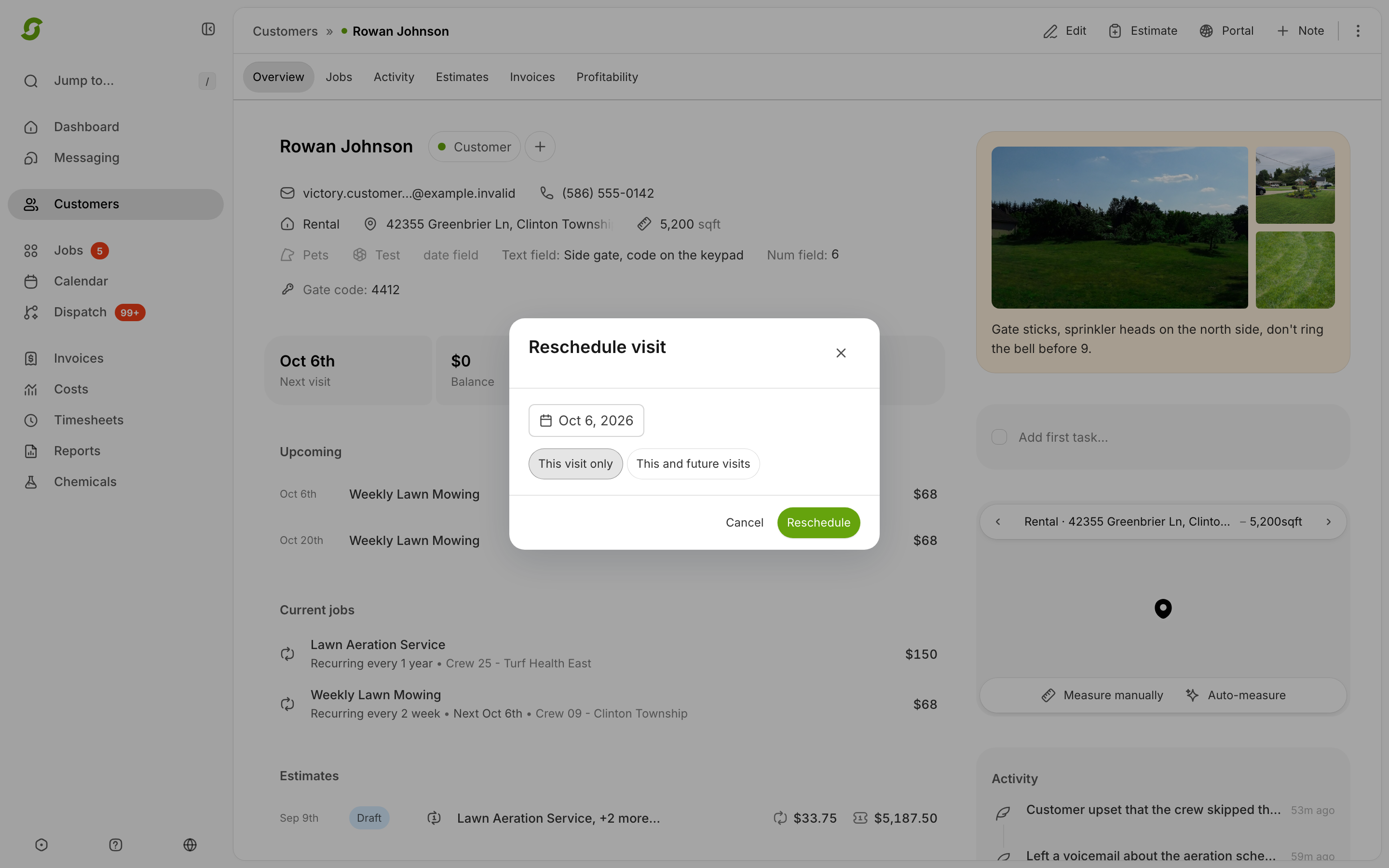
The reschedule pop-up asks for a **Reschedule scope**:

* **Just this event** (default) — only this visit moves.
* **This and all future events** — the series shifts so future visits follow the new cadence from this date.

Workers can also tap **Reschedule** in the field — that flags the visit back to the office as *Needs reschedule* rather than picking a date.

<figure><img src="/files/qKrkSUfC43WnwygEkFbt" alt="Reschedule modal with scope controls"><figcaption><p>Choose whether to move only this visit or future recurring visits too.</p></figcaption></figure>

{% hint style="info" %}
Expected result: The job appears on the new date.
{% endhint %}

<details>

<summary>Still stuck?</summary>

Email <hello@shortcutco.com> with a screenshot of the reschedule pop-up.

</details>