> For the complete documentation index, see [llms.txt](https://docs.shortcutco.com/llms.txt). Markdown versions of documentation pages are available by appending `.md` to page URLs; this page is available as [Markdown](https://docs.shortcutco.com/readme/leads-prospects-customers/how-to-add-a-lead.md).

# How to add a lead

Add a lead when someone asks for a quote. [Open Leads →](https://shortcutco.com/leads)

<figure><img src="/files/AwTO7MirLFNlVwHjYPCp" alt="Leads list showing incoming inquiries with service requests, square footage, and Estimate/Dismiss actions"><figcaption><p>The Leads list — each lead shows their requested services, property square footage, and address. Click "Estimate" to start a proposal or "Dismiss" to remove the lead.</p></figcaption></figure>

## When to use this

* A new inquiry came in (phone, text, email, website)
* You want to capture their property location and contact info

## Steps

{% stepper %}
{% step %}

### Go to Leads

Open [Customers](https://shortcutco.com/customers) — leads live in the Customers workspace.
{% endstep %}

{% step %}

### Add lead

Click **Add Lead** (top right). [Open New Lead →](https://shortcutco.com/leads/new)
{% endstep %}

{% step %}

### Fill in required fields

Provide the following:

* First name
* Last name
* Email
* Phone number
* Property location (uses **Google Places autocomplete** for accurate addresses)
  {% endstep %}

{% step %}

### Optional fields

If available, add:

* **Square footage** (used for lawn size calculations and per-sq-ft pricing)
* **Estimated hours** to complete work
* **Special requests / notes**
  {% endstep %}

{% step %}

### Save

Click **Save**.
{% endstep %}
{% endstepper %}

## Expected result

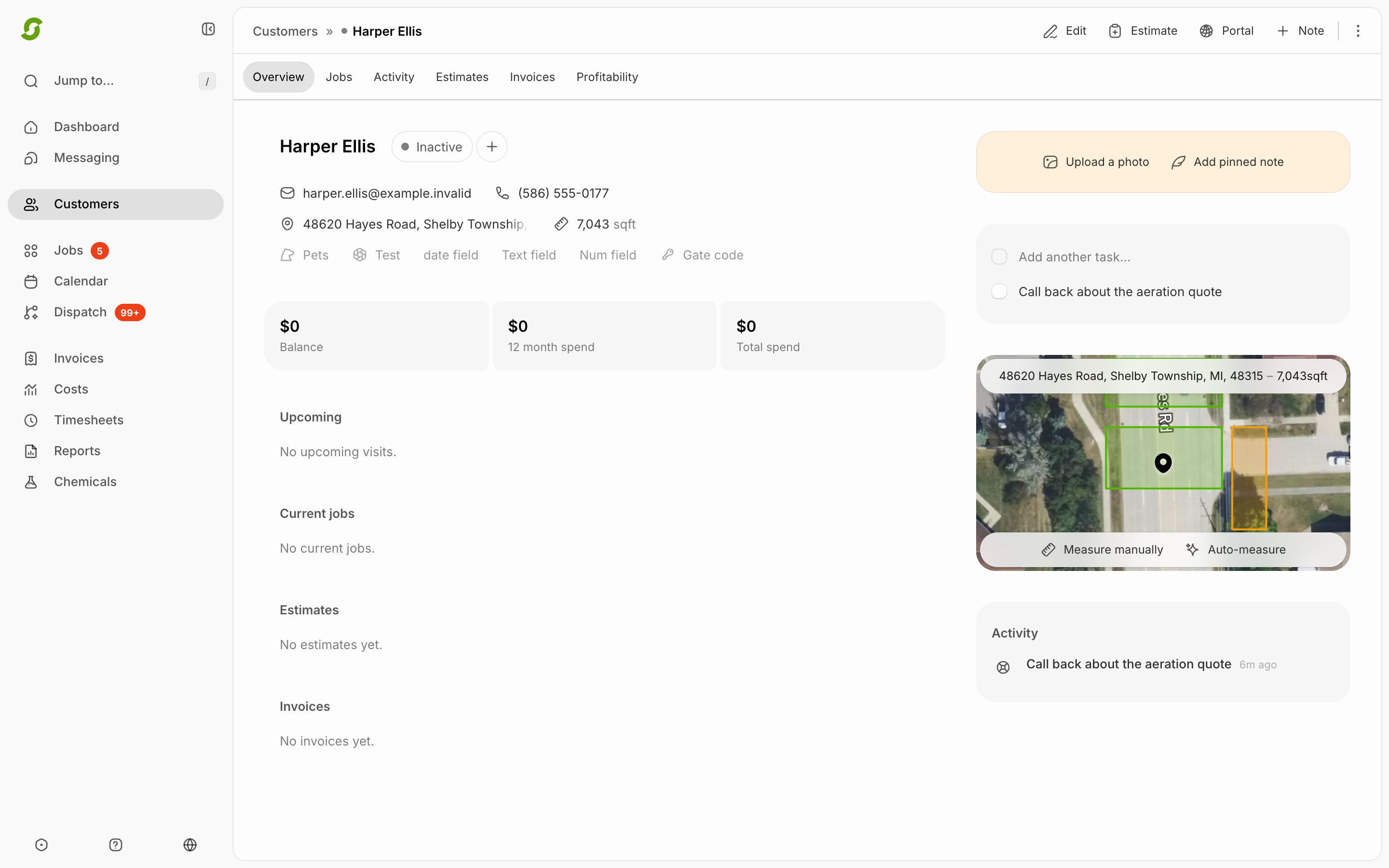
The lead appears in your [Leads list](https://shortcutco.com/leads) and is ready for a proposal.

<figure><img src="/files/8cjDwjBWMc32tm7S6oYt" alt="Lead profile showing contact info, property measurement with satellite map, tasks, and notes"><figcaption><p>A lead profile — see contact details, property measurement with satellite view and square footage, plus Tasks and Notes tabs for follow-up tracking.</p></figcaption></figure>

## Common issues

{% hint style="warning" %}

* **Can't send later**: missing email and phone.
* **Wrong address**: update property location before scheduling.
  {% endhint %}

## Still stuck?

<details>

<summary>Contact support</summary>

Email <hello@shortcutco.com> with the lead's name and a screenshot of the Add Lead form.

</details>