> For the complete documentation index, see [llms.txt](https://docs.shortcutco.com/llms.txt). Markdown versions of documentation pages are available by appending `.md` to page URLs; this page is available as [Markdown](https://docs.shortcutco.com/readme/leads-prospects-customers/prospect-management-approve-remind-void.md).

# Prospect management (approve, remind, void)

Prospects are people who were sent a proposal and haven’t accepted it yet. You'll find them under **Customers → Estimate pending**. [Open Prospects →](https://shortcutco.com/prospects)

## When to use this

* You sent a proposal and want to track acceptance
* They verbally approved and you want to record it
* You want to follow up or stop pursuing the prospect

## What you can do

From a prospect profile (and from the prospects list), you can:

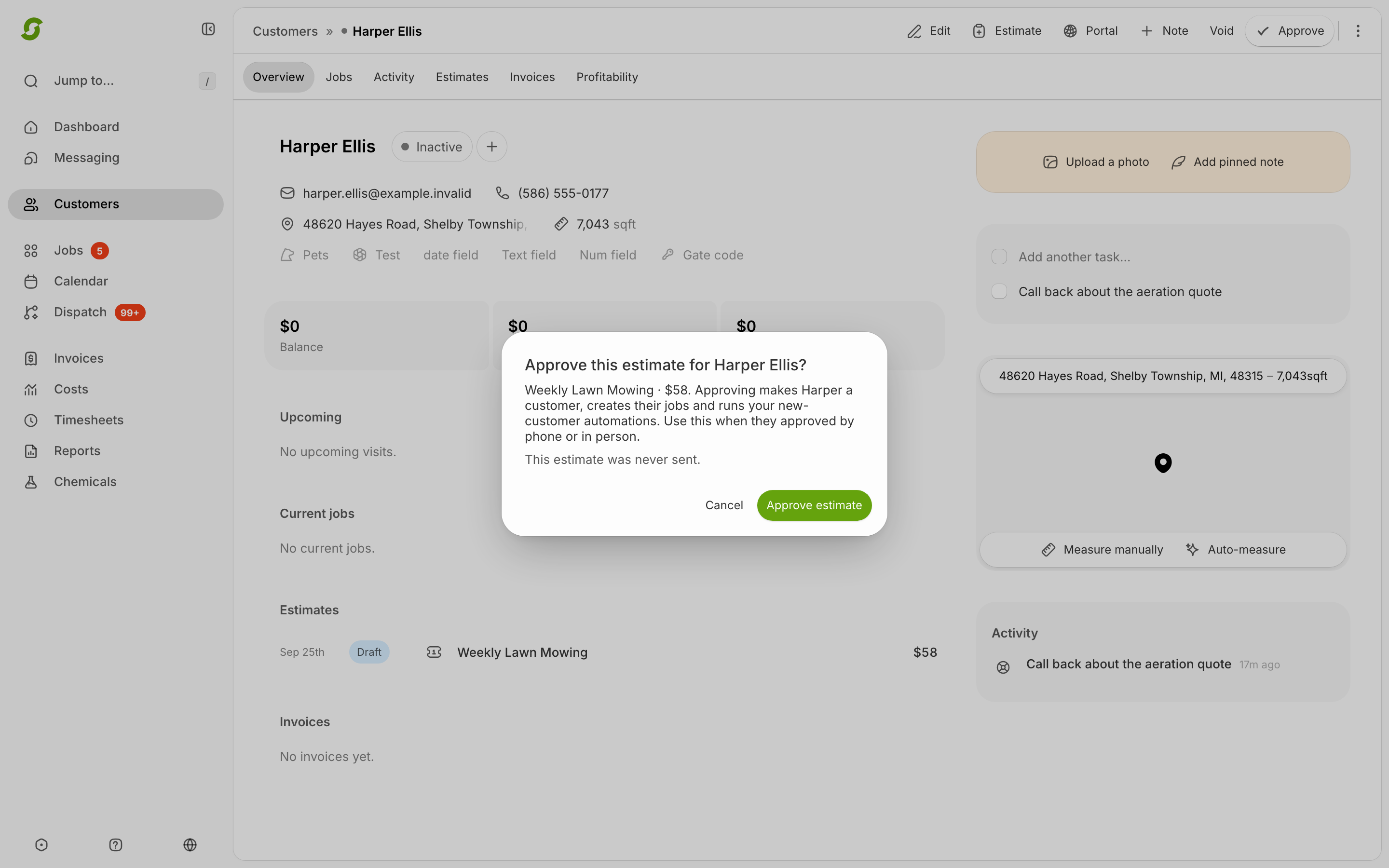
* **Approve** the proposal on their behalf
* **Remind** them (re-sends the proposal by email/SMS)
* **Void** the proposal
* **Edit** their details

Prospect profiles also have tabs for:

* **Tasks** (follow-ups with due dates)
* **Estimates** (the proposal(s) you sent)
* **Notes** (free-form customer context)

<figure><img src="/files/kuahov0tpJiUBlqT4OUU" alt="Prospect profile with tasks, estimates, and notes tabs"><figcaption><p>Use the prospect profile to review follow-up work and estimate history.</p></figcaption></figure>

<figure><img src="/files/rckswLUoKUl6wAPQgHup" alt="Prospects list showing pending proposals with quoted prices and Approve, Remind, and Void actions"><figcaption><p>The Prospects list shows each pending proposal and available follow-up actions.</p></figcaption></figure>

## Common actions

{% stepper %}
{% step %}

### Approve on behalf (verbal yes)

Use this if you’re talking to them on the phone/text/email and they approve.

Steps:

* Open the prospect
* Click **Approve**

{% hint style="warning" %}
**Approve applies immediately** — there's no "are you sure?" step. The prospect becomes a customer and their jobs are created the moment you click. Only click it once the customer has actually said yes.
{% endhint %}
{% endstep %}

{% step %}

### Send a reminder

Steps:

* Open the prospect
* Click **Remind**
* Confirm
  {% endstep %}

{% step %}

### Void a proposal

Steps:

* Open the prospect
* Click **Void**

{% hint style="warning" %}
Void also applies immediately — the proposal stops being active as soon as you click.
{% endhint %}
{% endstep %}
{% endstepper %}

## Expected result

* Approving moves them into **Customers**.
* Reminding re-sends the proposal reminder.
* Voiding marks the proposal as no longer active.

<details>

<summary>Still stuck?</summary>

Email <hello@shortcutco.com> with the prospect’s name and which action you’re trying to take.

</details>