> For the complete documentation index, see [llms.txt](https://docs.shortcutco.com/llms.txt). Markdown versions of documentation pages are available by appending `.md` to page URLs; this page is available as [Markdown](https://docs.shortcutco.com/readme/proposals/proposal-service-options-edit-+-alternatives.md).
# Proposal service options (edit + alternatives)
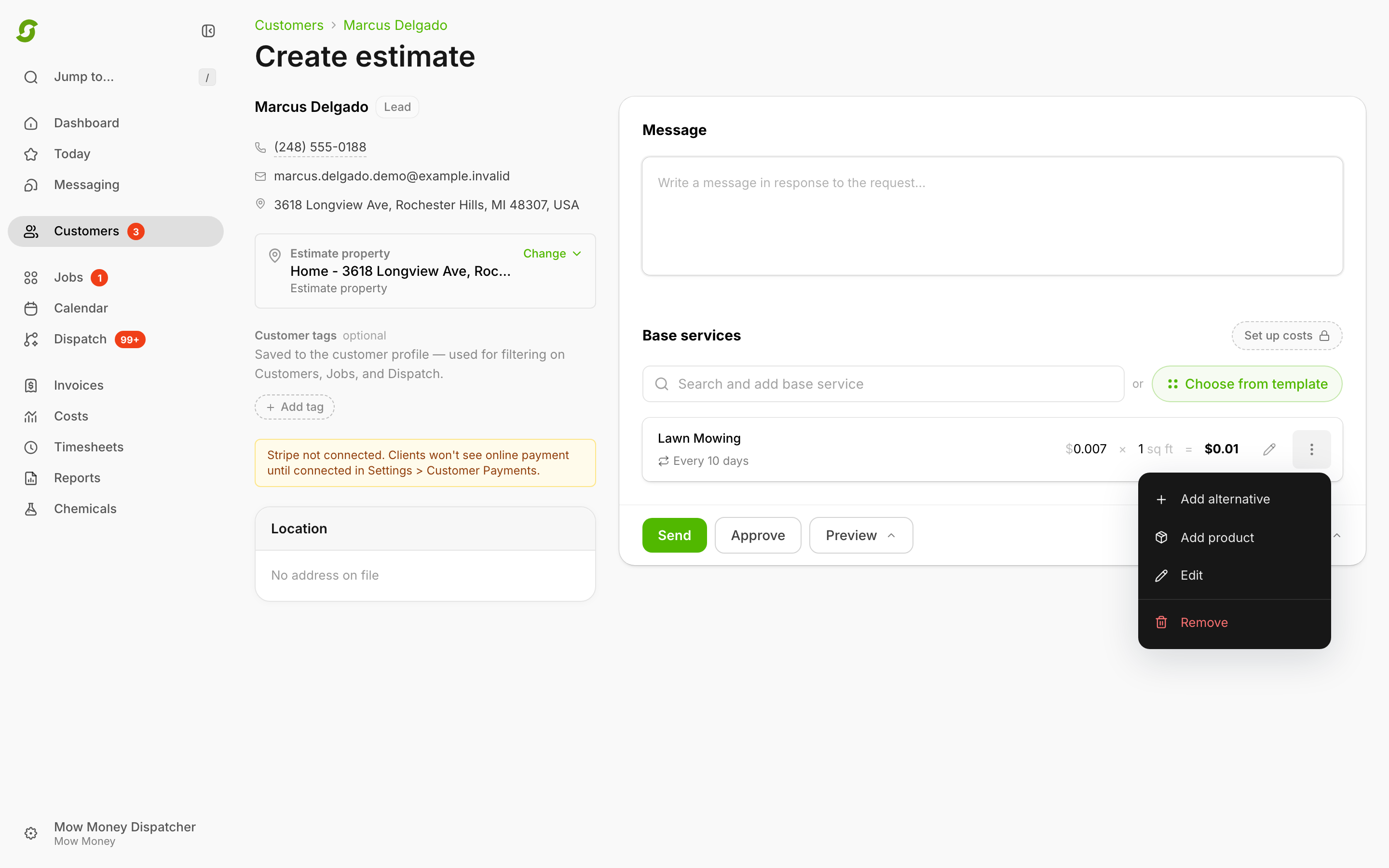
Every service line on an estimate has a **three dots** menu. Use it to change the line, offer the customer an alternative, add a product, or remove it.
## Edit a service line
{% stepper %}
{% step %}
### In the estimate
Click the **three dots** on a service line.
Use the service line menu to adjust or expand a quoted service.
{% endstep %}
{% step %}
### Edit
Click **Edit** (or the pencil beside the menu).
{% endstep %}
{% step %}
### Update
* Rate
* Quantity (hours, sq ft, and so on)
* How often it repeats — under **Repeating**, pick **One off**, or **Days**, **Weeks**, **Months**, or **Years** and type a number in **every**. **Days** every **14** means a visit every 14 days.
Snow services work differently — see [Snow removal](/readme/snow-removal.md).
{% endstep %}
{% step %}
### Save
Click **Done**.
{% endstep %}
{% endstepper %}
## Add an alternative option
Alternatives let you offer a second option the customer can choose. Each alternative shows **full pricing** so clients can compare.
Examples:
* Plant a pine tree (default) vs plant an aspen tree (alternative)
* Gold mowing package vs Silver package
{% stepper %}
{% step %}
### Open options
Click the **three dots** on the service line.
{% endstep %}
{% step %}
### Add alternative
Click **Add alternative**.
{% endstep %}
{% step %}
### Configure
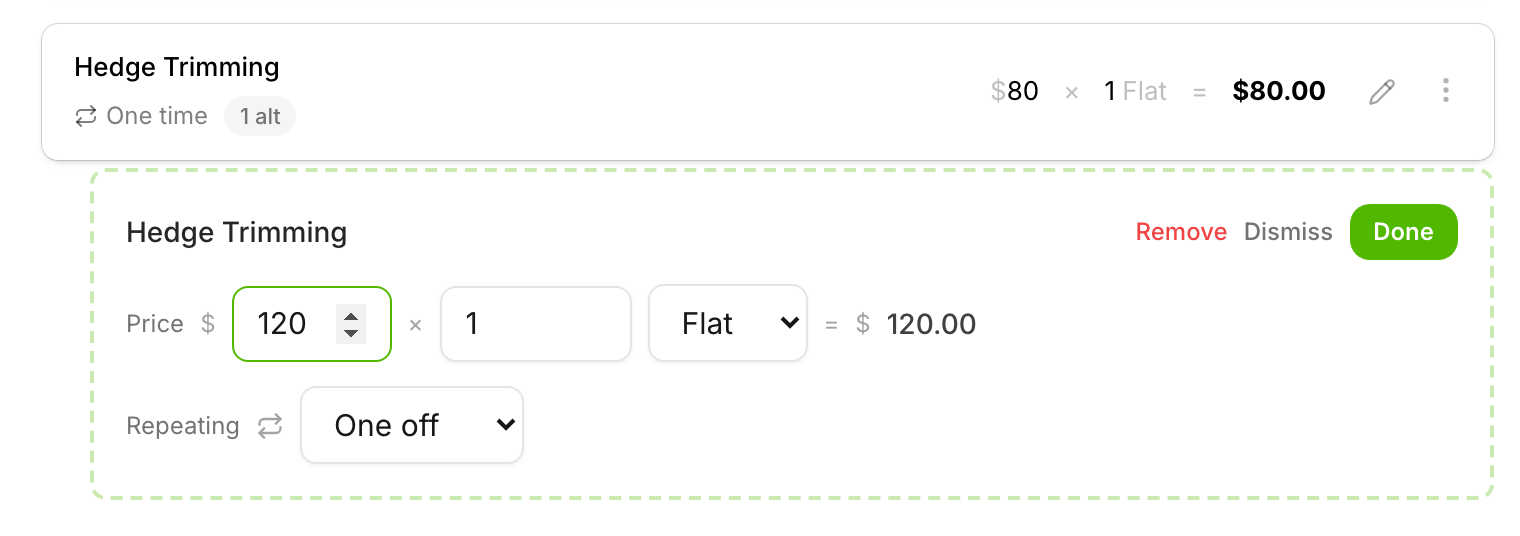
Search for the alternative service in **Search and add alternative service** and pick it. It appears under the original with its own price details, which you can edit from its own **three dots** menu.
Configure the alternate option directly under the original service.
{% endstep %}
{% endstepper %}
A new alternative starts with the same repeat schedule as the service it sits under.
## Add a product to a service
To add a catalog product — mulch, plants, and the like — to a service, click the service's **three dots** and choose **Add product**. Alternatives have **Add product** in their menu too. Chemical programs don't take products. See [Products](/readme/products.md) for how products are priced and shown to the customer.
## What the customer sees
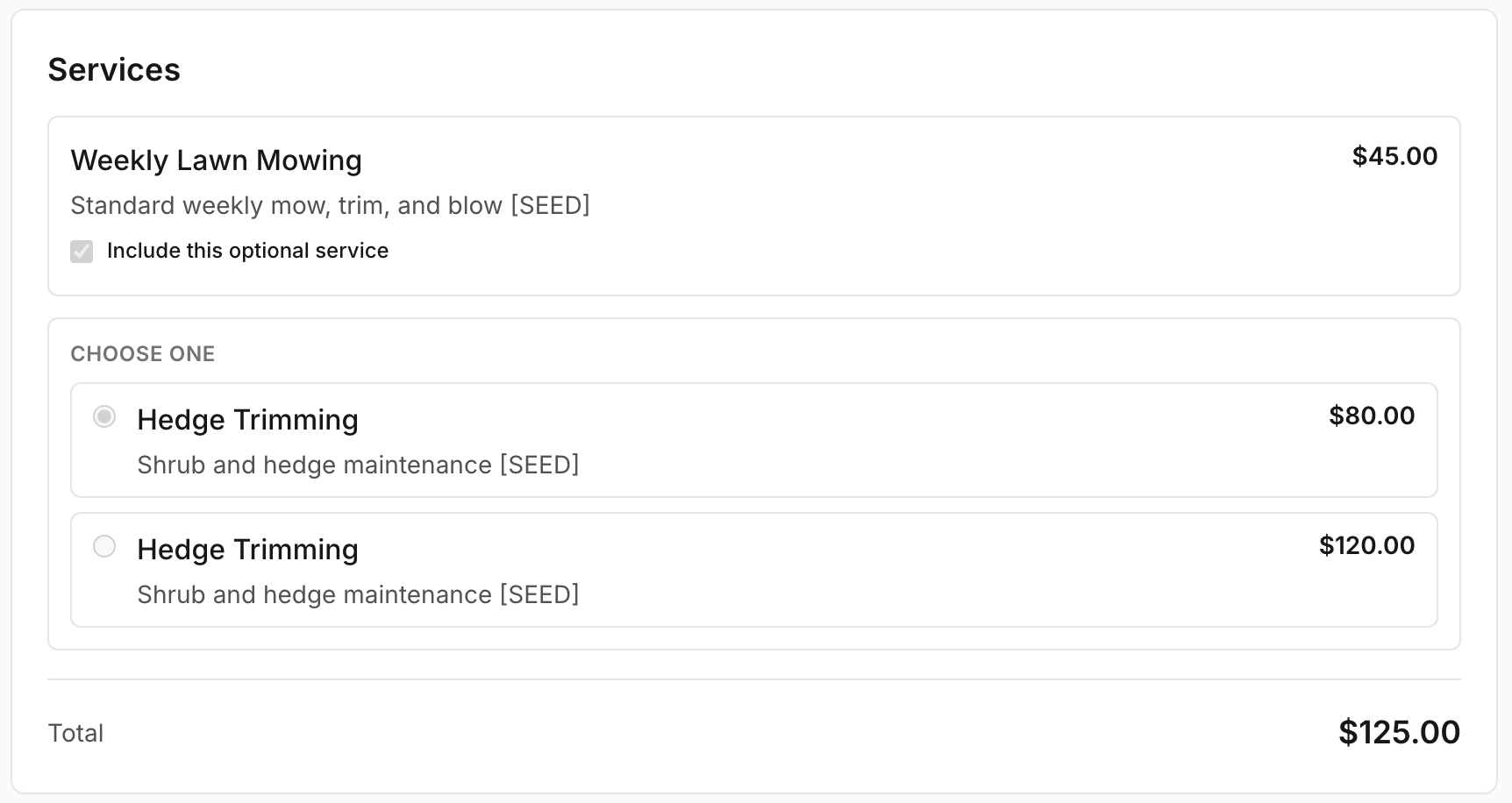
On the proposal page, clients can choose between alternatives and include or leave out optional items. The **total updates** as they choose.
Clients can **approve** the proposal or **decline** (they'll be asked for a brief reason, which you'll see on the prospect).
Customers review proposal options before approving.
## Remove a service
{% stepper %}
{% step %}
Click the **three dots**.
{% endstep %}
{% step %}
Click **Remove**.
{% endstep %}
{% endstepper %}
{% hint style="info" %}
Once an estimate is approved, its services are locked and the menus are hidden. To change the quote, start a new estimate — see [Approve for the customer](/readme/proposals/how-to-create-and-send-a-proposal.md#approve-for-the-customer).
{% endhint %}
Still stuck?
Email with a screenshot of the service line and what you're trying to do.