> For the complete documentation index, see [llms.txt](https://docs.shortcutco.com/llms.txt). Markdown versions of documentation pages are available by appending `.md` to page URLs; this page is available as [Markdown](https://docs.shortcutco.com/readme/proposals/proposal-service-options-edit-+-alternatives.md).
# Proposal service options (edit + alternatives)
Every service line on an estimate has a **⋯** menu. Use it to change the line, offer the customer an alternative, add a product, or remove it.
## Edit a service line
{% stepper %}
{% step %}
### In the estimate
Click the service line itself (or click its **⋯** and choose **Edit**). The line opens in an editor.
Use the line's ⋯ menu to adjust or expand a quoted service.
{% endstep %}
{% step %}
### Update
* **Rate**
* **Quantity** and **Unit** (flat, sq ft, hours, or man-hours)
* How often it repeats — under **How often**, pick **One time**, or **Repeats** and type a number after **every** with **days**, **weeks**, **months**, or **years**. Every **14** **days** means a visit every 14 days.
* **Description** — optional details for this estimate
* **Optional** — let the customer decide whether to include it (Growth and Optimize plans)
The **Total** updates as you type. Snow services work differently — see [Snow removal](https://docs.shortcutco.com/readme/snow-removal.md).
{% endstep %}
{% step %}
### Save
Click **Done** (or press Esc).
{% endstep %}
{% endstepper %}
If the line comes in under the service's minimum charge per visit, it shows a **Minimum** pill and is charged the minimum. Click the pill and choose **Don't apply minimum on this job** to quote it without. See [Services & pricing structures](https://docs.shortcutco.com/readme/configuration/services-pricing-structures.md#minimum-charge-per-visit).
## Add an alternative option
Alternatives let you offer a second option the customer can choose. Each alternative shows **full pricing** so clients can compare. Alternatives are on the Growth and Optimize plans.
Examples:
* Plant a pine tree (default) vs plant an aspen tree (alternative)
* Gold mowing package vs Silver package
{% stepper %}
{% step %}
### Open options
Click the **⋯** on the service line.
{% endstep %}
{% step %}
### Add alternative
Click **Add alternative**.
{% endstep %}
{% step %}
### Pick the service
Type in **Add an alternative…** under the line and pick the service. It appears under the original, after "or", with its own price. Click it (or its **⋯ → Edit**) to change its details. The main line gets a tag like **Customer picks 1 of 2**.
The alternative sits under the original service with its own price.
{% endstep %}
{% endstepper %}
A new alternative starts with the same repeat schedule as the service it sits under.
## Add a product to a service
To add a catalog product — mulch, plants, and the like — to a service, click the service's **⋯** and choose **Add product**. Alternatives have **Add product** in their menu too. Chemical programs don't take products. See [Products](https://docs.shortcutco.com/readme/products.md) for how products are priced and shown to the customer.
## What the customer sees
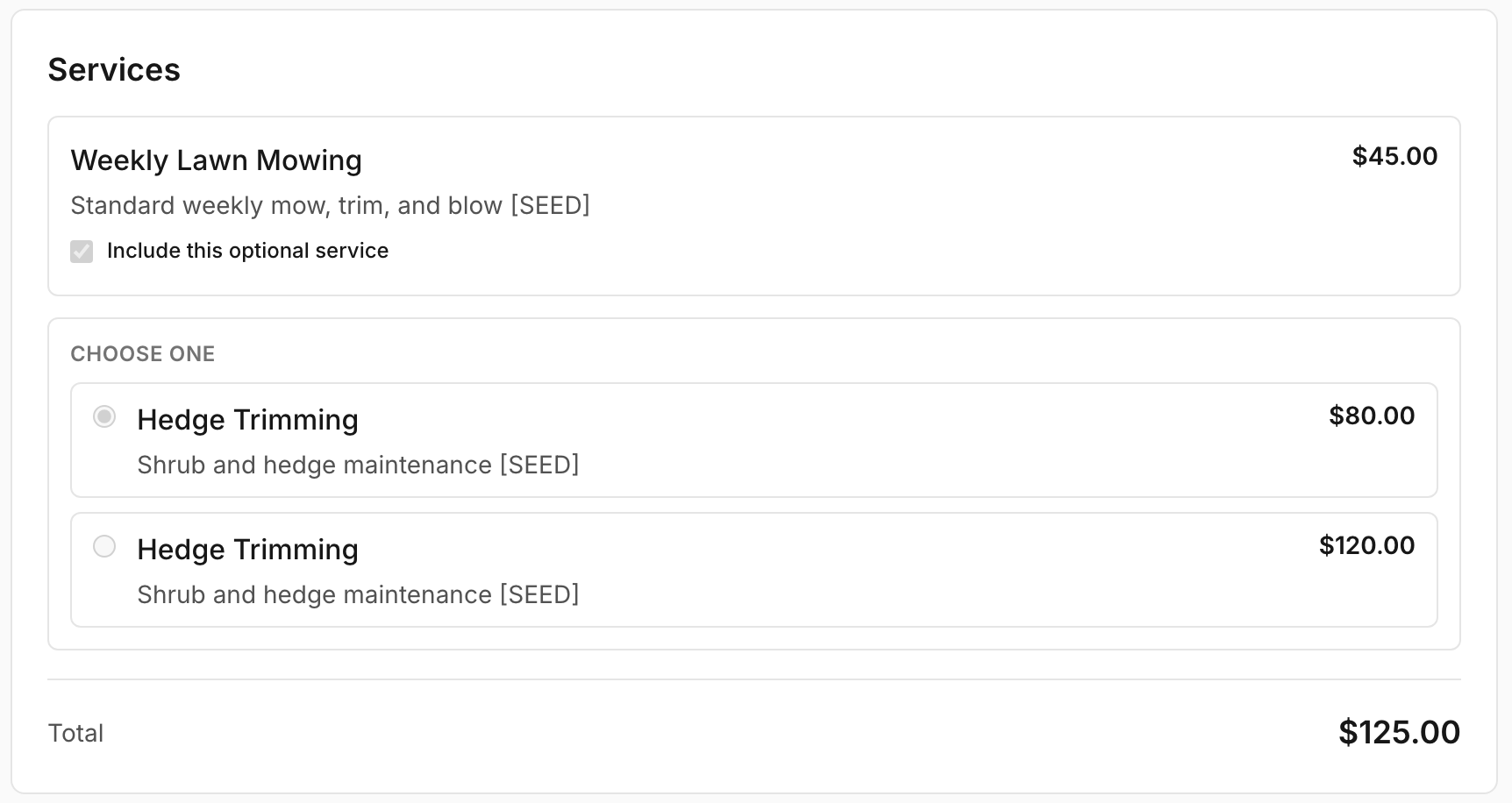
On the estimate page, clients choose between alternatives and tick **Include this optional service** for optional items. The **total updates** as they choose.
Then they approve the estimate — with a signature if you require one — or decline it under **Not moving forward?**, picking a reason (**Price**, **Timing**, **Went with someone else**, or **Other**). You see the reason on their profile. See [What the customer sees when approving](https://docs.shortcutco.com/readme/proposals/what-the-customer-sees-when-approving.md).
Customers review estimate options before approving.
## Remove a service
{% stepper %}
{% step %}
Click the **⋯**.
{% endstep %}
{% step %}
Click **Remove**.
{% endstep %}
{% endstepper %}
You can also click **Remove** in the line's editor.
{% hint style="info" %}
Once an estimate is approved, its services are locked and the menus are hidden. To change the quote, start a new estimate — see [Approve for the customer](https://docs.shortcutco.com/readme/proposals/how-to-create-and-send-a-proposal.md#approve-for-the-customer).
{% endhint %}
Still stuck?
Email with a screenshot of the service line and what you're trying to do.