> For the complete documentation index, see [llms.txt](https://docs.shortcutco.com/llms.txt). Markdown versions of documentation pages are available by appending `.md` to page URLs; this page is available as [Markdown](https://docs.shortcutco.com/readme/website-builder.md).
# Website
A hosted marketing website for your business, built from your Shortcut data.
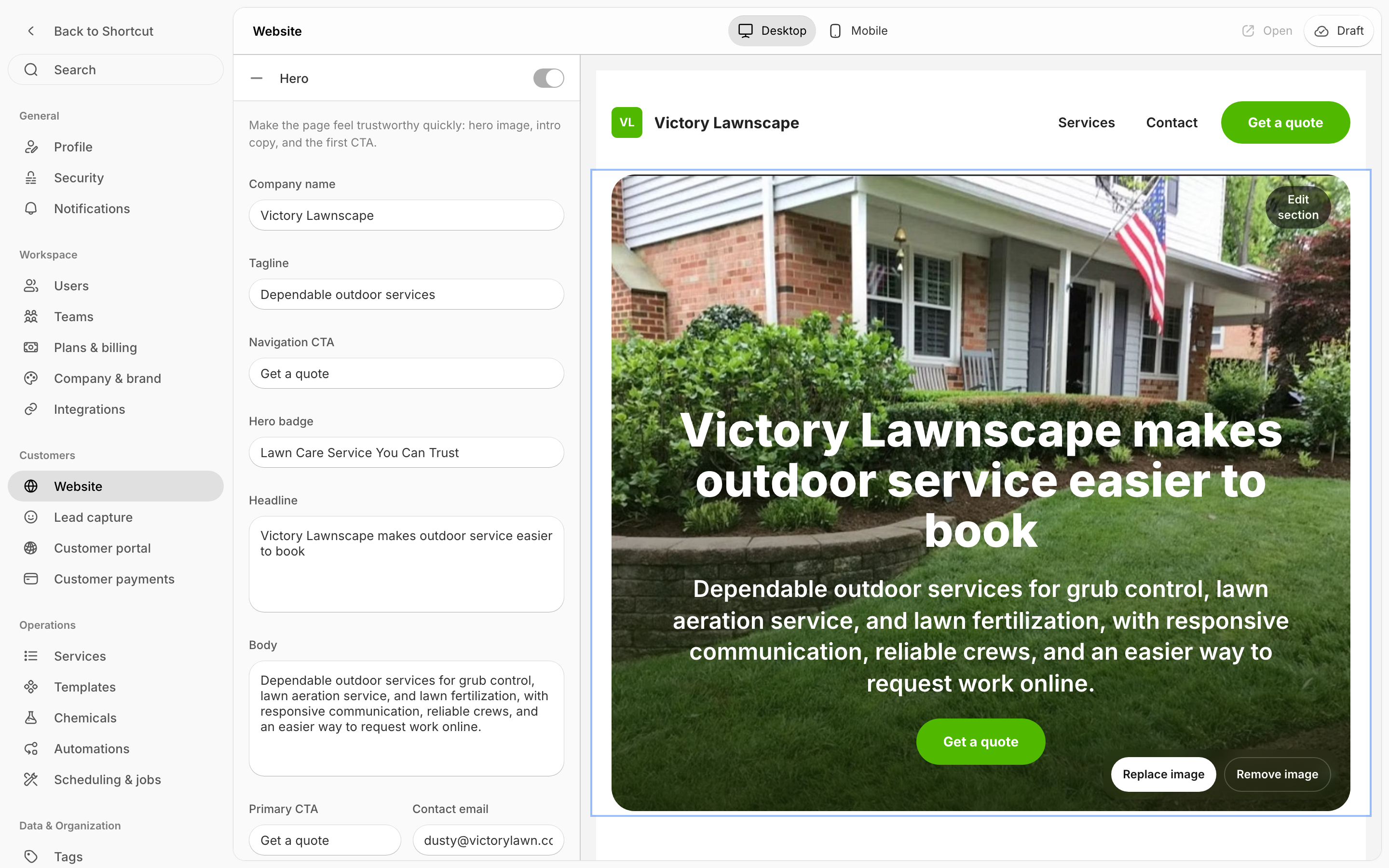
Shortcut can host a simple marketing website for your business — services, reviews, gallery, service areas, and a contact form that feeds your Leads. Open **Settings → Customers → Website**. [Open Website →](https://shortcutco.com/settings/website) It's on the web only, not in the mobile app.
Edit your site in the column on the left, see it in the preview on the right, then publish it.
## Create your site
If you don't have a site yet, the Website page walks you through creating one. Shortcut drafts it from what it already knows — your company details and catalog services — and you edit from there.
## What you can edit
Sections include: **Services Offered, Installation Services, Recurring Services, Reviews, Gallery, FAQs, Team, Service Areas, Contact Us, and Online Bill Pay.** Turn sections on or off, edit the copy, pick photos, and link services straight from your catalog.
The settings are in a column on the left, with a live preview of your site filling the rest. Switch between **Desktop** and **Mobile** at the top to check both before you publish. When you have unsaved edits, a **Save** button appears at the top right.
## Publish
Your site moves through **preview → draft → published**. The button at the top right shows where it stands. Click it and choose **Published** to put it live, or **Draft** to take it down. Once it's published, **Open** shows the live site. Your public page lives at `shortcutco.com/company/your-company` (share it, link it from your Google Business Profile, or point your domain at it).
{% hint style="info" %}
Inquiries from the site's contact form become **Leads** automatically — same as the [Lead capture form](/readme/configuration/intake-form-tracking-+-embed-+-redirect-+-services.md).
{% endhint %}
Still stuck?
Email with your company name and a screenshot of the Website editor.