> For the complete documentation index, see [llms.txt](https://docs.shortcutco.com/llms.txt). Markdown versions of documentation pages are available by appending `.md` to page URLs; this page is available as [Markdown](https://docs.shortcutco.com/readme/worker-app/troubleshooting-worker-cant-see-jobs.md).

# Troubleshooting: worker can't see jobs

If a worker opens the Worker app at [/today](https://shortcutco.com/today) and sees an empty day (or missing jobs), it's almost always an assignment issue.

## Symptoms

* Worker sees no jobs for today
* Worker sees some jobs but not all of them

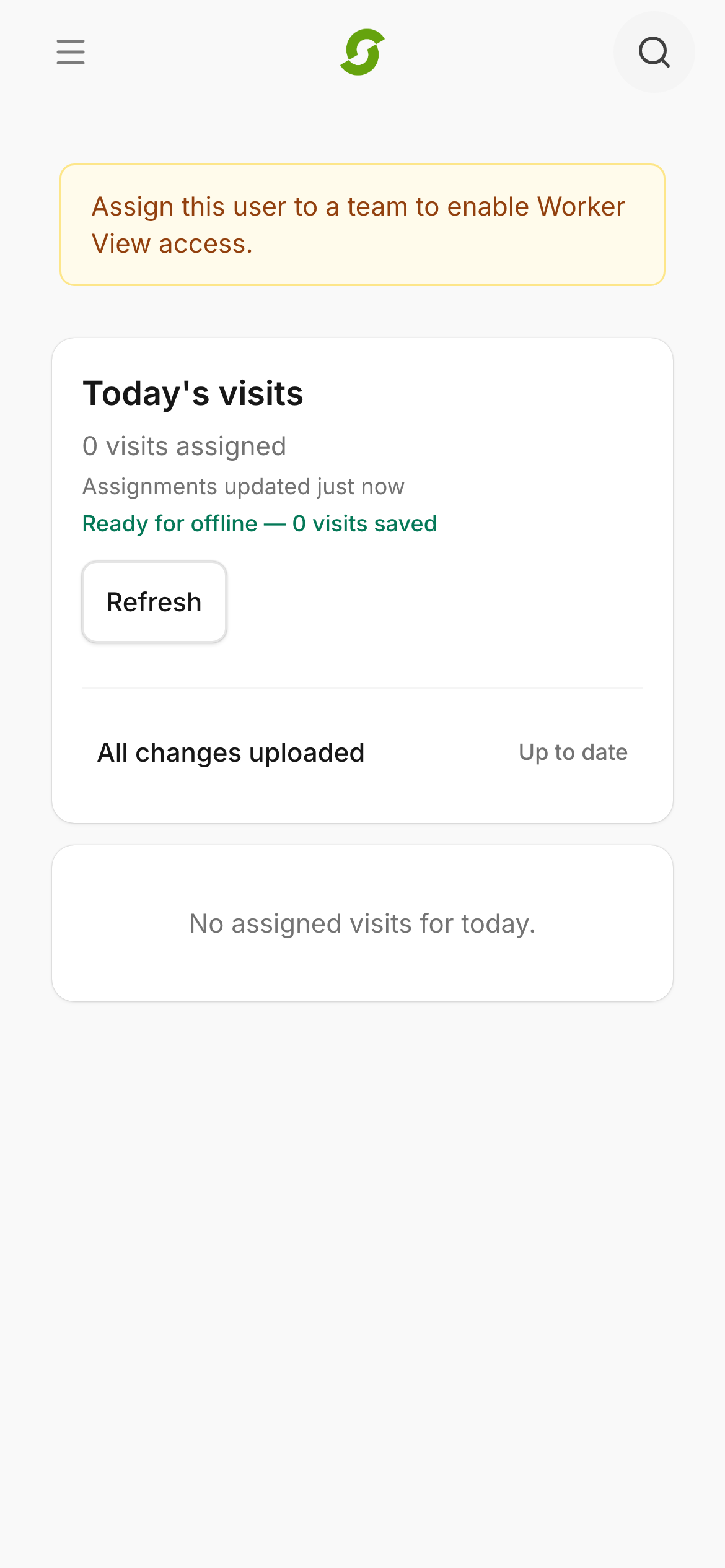
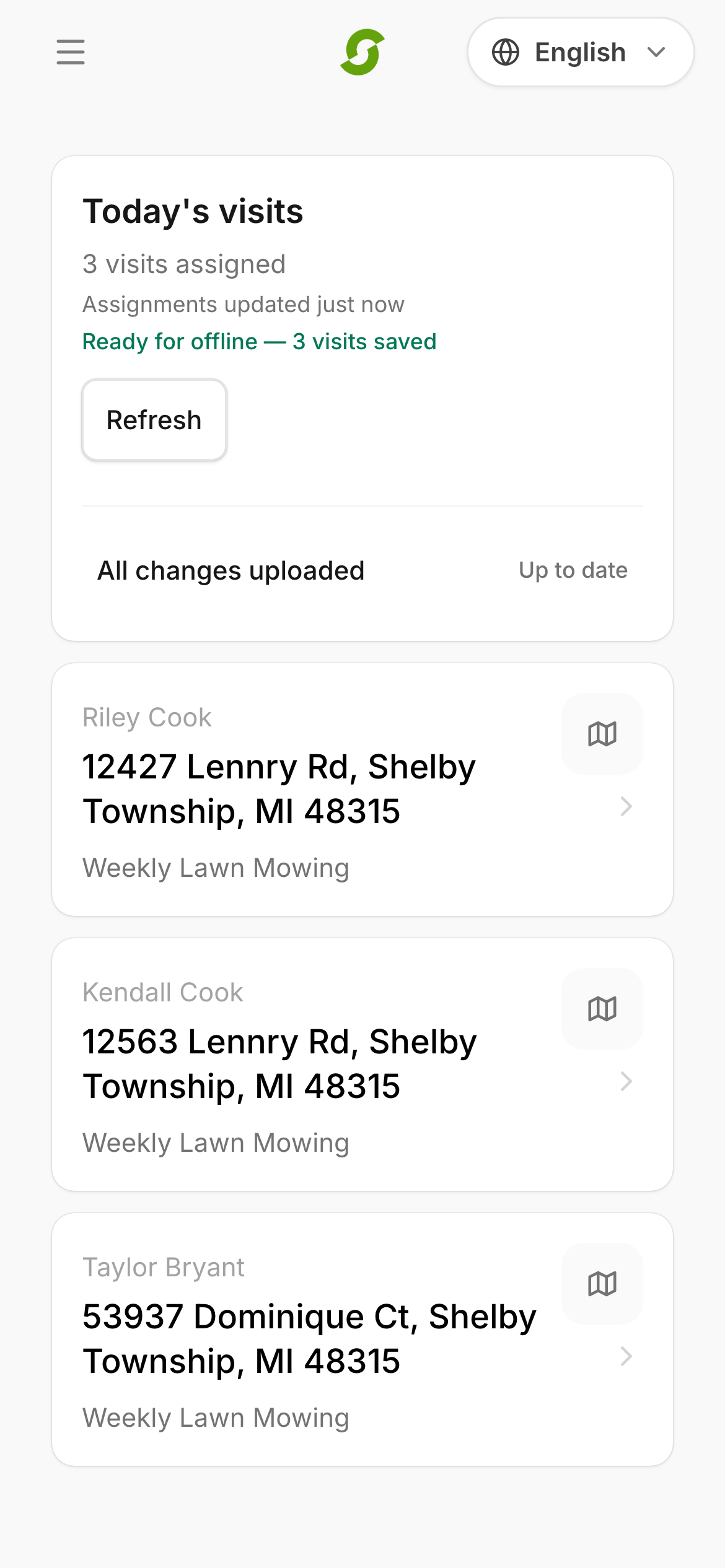
<figure><img src="/files/c9DVEJxgKCAQReKGFgZa" alt="Worker Today mobile screen with assigned jobs"><figcaption><p>Confirm the worker has assigned visits on Today.</p></figcaption></figure>

## Most common causes

* The worker is not in a Team
* Today's jobs were not assigned to that team (crew) in Dispatch

<figure><img src="/files/C3AmJtJra3Nn1drzc2I7" alt="Worker Today screen showing zero visits and the message to assign this user to a team to enable Worker View access"><figcaption><p>The tell-tale empty state — "Assign this user to a team" means the account isn't on a crew yet.</p></figcaption></figure>

## Fix

{% stepper %}
{% step %}

### Confirm the worker is on a Team

* Go to [Workforce](https://shortcutco.com/workforce) (settings cog → More → Workforce)
* Open the Team and confirm the worker is listed
  {% endstep %}

{% step %}

### Confirm jobs are assigned to that Team

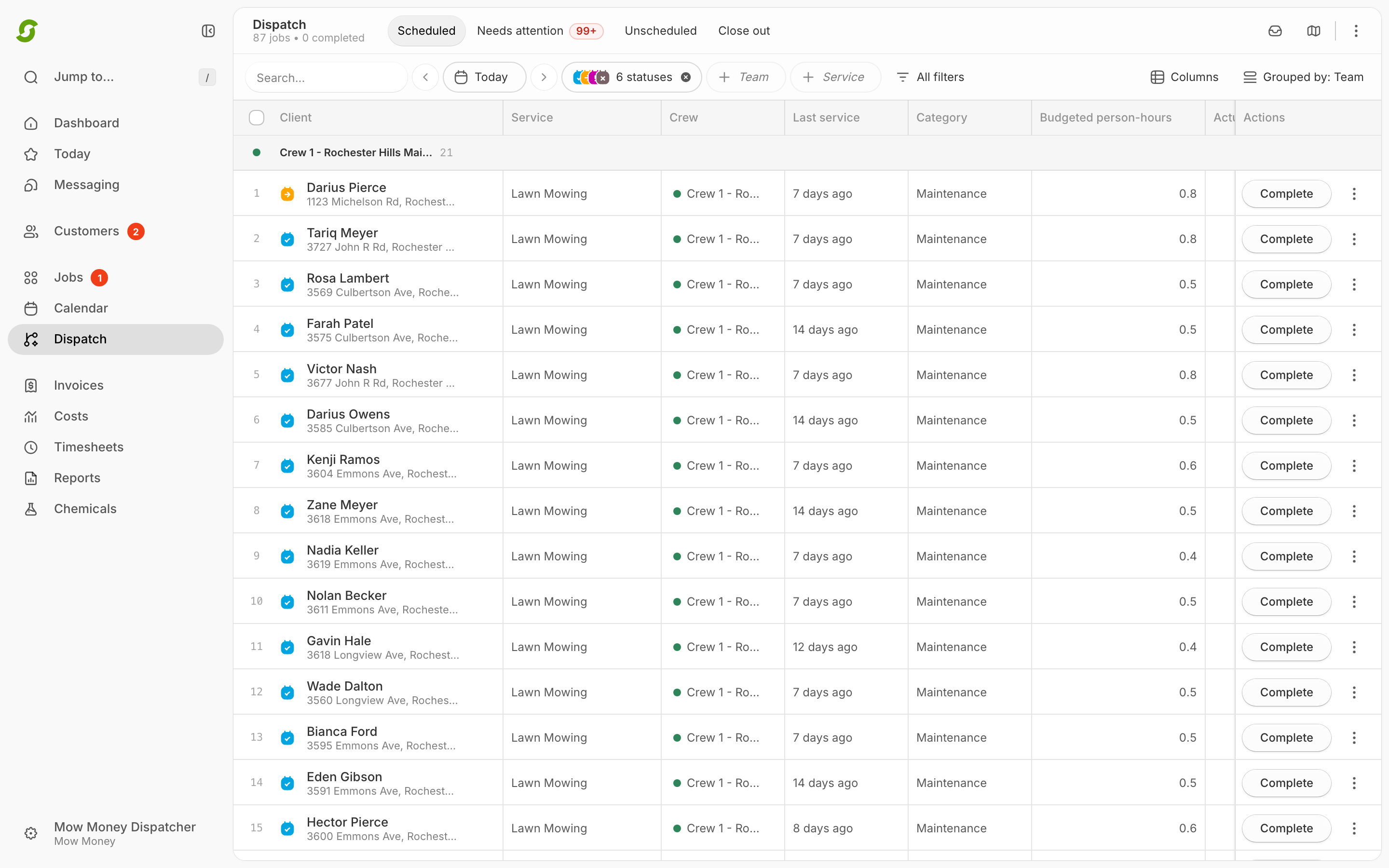
* Go to [Dispatch](https://shortcutco.com/dispatch)
* Select today's date
* Make sure the jobs are under the correct crew

<figure><img src="/files/k8Cpk8nfBy8HPx7ykAwH" alt="Dispatch command center with jobs grouped by crew"><figcaption><p>Use Dispatch to check whether work is assigned to the right crew.</p></figcaption></figure>
{% endstep %}

{% step %}

### Have the worker refresh

* Close and reopen the Worker app at [/today](https://shortcutco.com/today)
  {% endstep %}
  {% endstepper %}

## Still stuck?

Email **<hello@shortcutco.com>** with the worker email + the Team name + the date + a screenshot of [Dispatch](https://shortcutco.com/dispatch).