> For the complete documentation index, see [llms.txt](https://docs.shortcutco.com/llms.txt). Markdown versions of documentation pages are available by appending `.md` to page URLs; this page is available as [Markdown](https://docs.shortcutco.com/readme/worker-app/troubleshooting-worker-cant-see-jobs.md). Agents can also search and read this documentation through its [MCP server](https://docs.shortcutco.com/~gitbook/mcp).

# Troubleshooting: worker can't see jobs

If a worker opens **Today** (in the app or at [/today](https://shortcutco.com/today)) and sees an empty day (or missing jobs), it's almost always an assignment issue.

## Symptoms

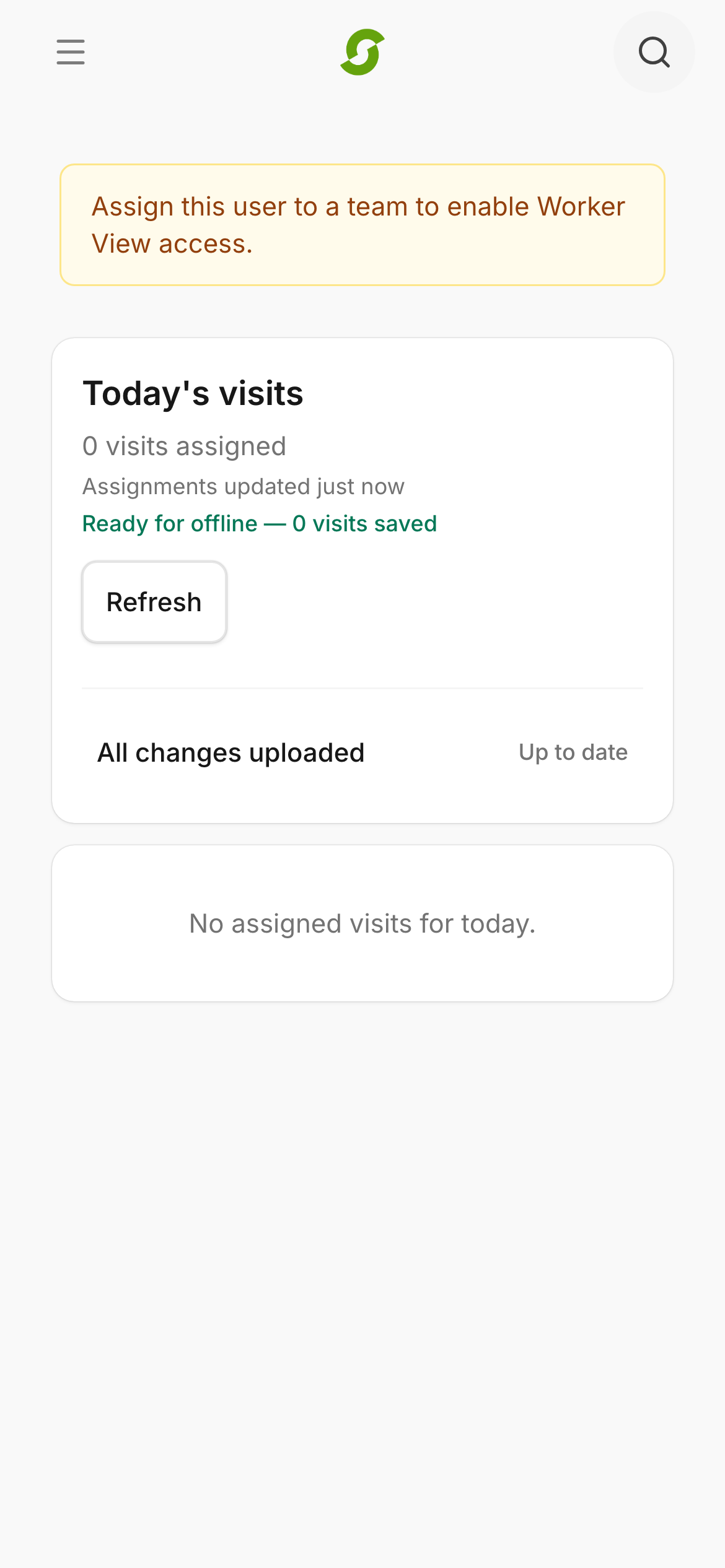
* Worker sees no jobs for today (*"No assigned visits for today."*)
* Worker sees some jobs but not all of them

If Today says *"All of today's visits are done."*, nothing is missing: every visit on the list has been finished.

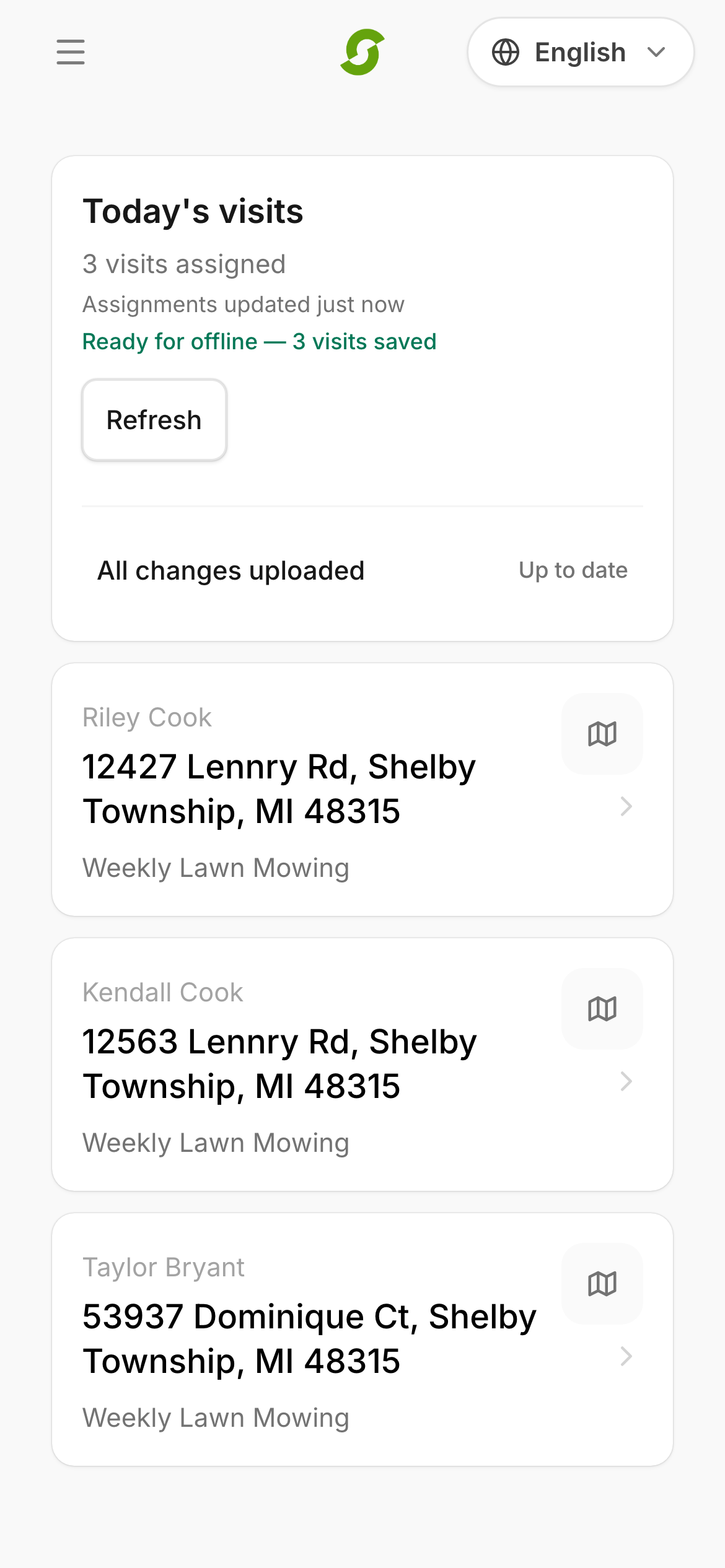
<figure><img src="https://2299783971-files.gitbook.io/~/files/v0/b/gitbook-x-prod.appspot.com/o/spaces%2FOhi7KtJ4vY1pDKwWu5SV%2Fuploads%2Fgit-blob-e5fb957fc09ae262f3f0e550e16f59ebd43ff74b%2Fworker-today-mobile.png?alt=media" alt="Worker Today mobile screen with assigned jobs"><figcaption><p>Confirm the worker has assigned visits on Today.</p></figcaption></figure>

## Most common causes

* The worker is not in a Team
* Today's jobs were not assigned to that team (crew) in Dispatch

<figure><img src="https://2299783971-files.gitbook.io/~/files/v0/b/gitbook-x-prod.appspot.com/o/spaces%2FOhi7KtJ4vY1pDKwWu5SV%2Fuploads%2Fgit-blob-b582f39a7fa51ce7ed7fcb16b06dc013ea7304ee%2Fworker-today-no-team.png?alt=media" alt="Worker Today screen showing zero visits and the message to assign this user to a team to enable Worker View access"><figcaption><p>The tell-tale empty state — "Assign this user to a team" means the account isn't on a crew yet.</p></figcaption></figure>

## Fix

{% stepper %}
{% step %}

### Confirm the worker is on a Team

* Go to [Settings → Users](https://shortcutco.com/settings/users) (**Settings → Workspace → Users**)
* Check the worker's row shows the right team next to their name, and that it doesn't say **Invited** or **Inactive**
  {% endstep %}

{% step %}

### Confirm jobs are assigned to that Team

* Go to [Dispatch](https://shortcutco.com/dispatch)
* Select today's date
* Make sure the jobs are under the correct crew

<figure><img src="https://2299783971-files.gitbook.io/~/files/v0/b/gitbook-x-prod.appspot.com/o/spaces%2FOhi7KtJ4vY1pDKwWu5SV%2Fuploads%2Fgit-blob-b908619d1dfbeeea974187387e0c74d5b6afa328%2Fdispatch-command-center.png?alt=media" alt="Dispatch board on the Scheduled tab with stops grouped by crew, a status icon on each row, and an Unassigned lane at the bottom"><figcaption><p>Use Dispatch to check whether work is assigned to the right crew.</p></figcaption></figure>
{% endstep %}

{% step %}

### Have the worker refresh

* Close and reopen the app (or the browser tab at [/today](https://shortcutco.com/today)); in the app, tap **Sync now** on Today
* If a stop they expected was taken off their day, Today names it at the top under **Removed from your route**. Check in Dispatch which crew has it now.
* In the app, check they're on **Today** in the row of days at the top. A later day they tapped shows that day's saved route, view only.
* *"No saved assignments on this device yet. Open Today while online first."* means the app has never loaded Today on this phone. Get signal and open Today once.
  {% endstep %}
  {% endstepper %}

## Still stuck?

Email **<hello@shortcutco.com>** with the worker email + the Team name + the date + a screenshot of [Dispatch](https://shortcutco.com/dispatch).